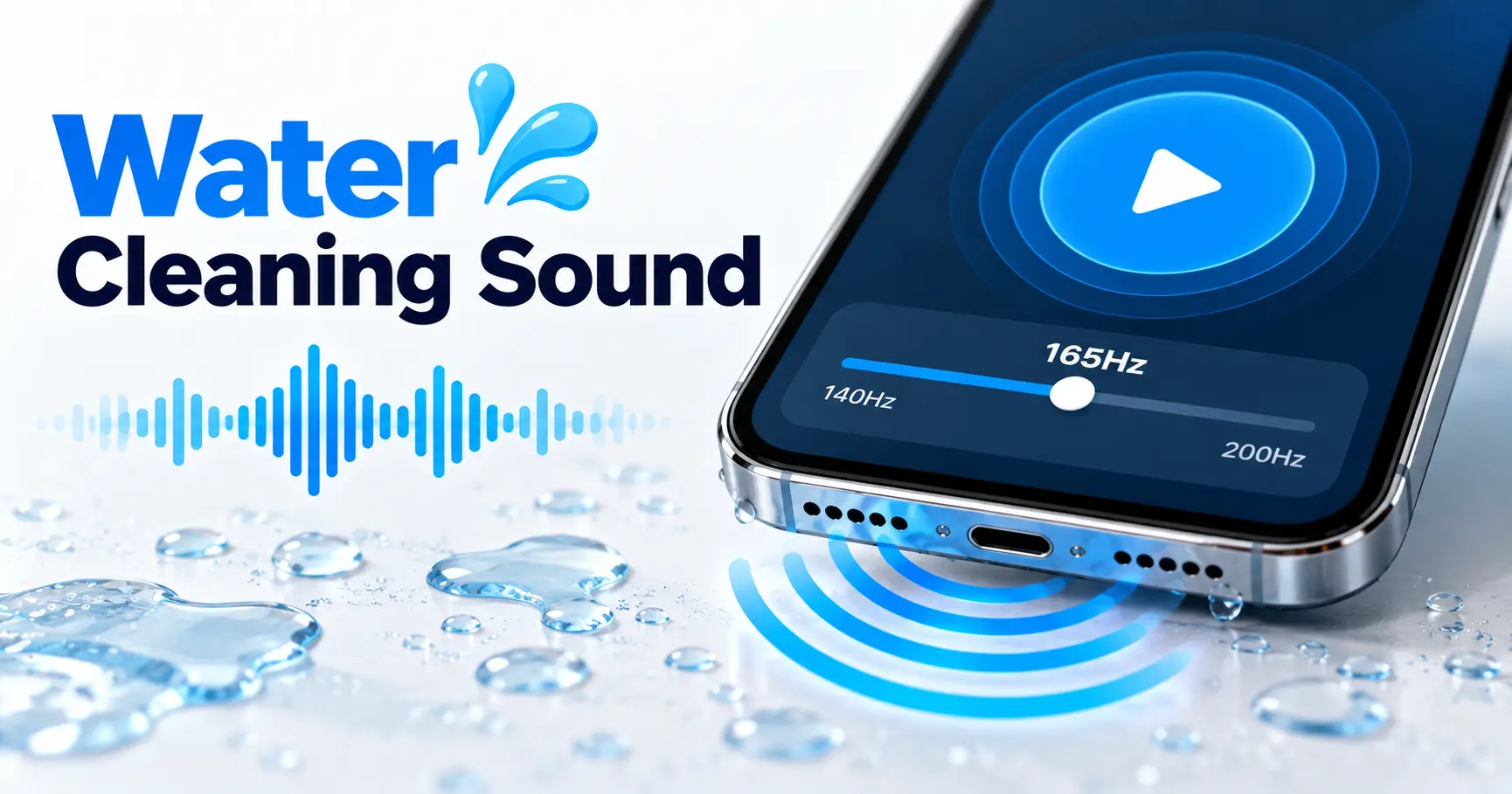

A vibration sound is a low-frequency audio tone, usually between 40Hz and 200Hz, played through a device speaker at high volume. Sound is mechanical vibration, so these tones physically move the speaker diaphragm with enough force to push out trapped water and dislodge packed dust. The 165Hz tone is the tested standard for phone speaker water ejection. Multiple short cycles work better than one long run.
Your phone speaker sounds muffled. Maybe you dropped it near water. Maybe pocket lint has been building up for months. Most people shake the phone hard or throw it in a bag of rice. Shaking sends water flying toward your camera sensors. Rice takes 48 hours and barely works. The fix that actually works is physics-based: a vibration sound. It uses specific low-frequency tones to physically push blockages out of your speaker grille. This article explains what a vibration sound is, how it works, which frequency to use, and how to run it correctly on your phone.
What Is a Vibration Sound?
A vibration sound is a sustained low-frequency tone played through a speaker at full volume. The term makes sense once you understand two things.
First, all sound is vibration. Sound travels through air as waves, which are molecules pushing against each other in rapid pulses. When those waves hit your ear, you hear them. When they hit a solid surface, that surface moves.
Second, low-frequency tones, those under 200Hz, carry enough energy to move physical objects, not just air. You already know this feeling. A car with a powerful subwoofer passes you on the street and you feel your chest vibrate. That is low-frequency acoustic vibration doing physical work.
When a low-frequency vibration sound plays through a phone speaker, the speaker diaphragm, which is the thin membrane that creates sound, moves back and forth with real mechanical force. At the right resonant frequency, this movement becomes strong enough to push water droplets and dust out through the speaker grille. That is the foundation of vibration sound for phone speaker cleaning.
Where Did the Vibration Sound Method Come From?
The story starts with the Apple Watch Series 2, released in 2016. When Apple made the watch water-resistant, engineers ran into a real problem. Water could get trapped inside the speaker cavity and muffle audio even after the watch left the water. Their fix was to use the speaker itself as the solution.
Apple built a water eject feature into the Apple Watch speaker system as part of Water Lock. When activated, the watch played a specific tone through its speaker. The tone vibrated the diaphragm hard enough to physically push trapped water out of the housing. Slow-motion footage shot at 2,000 frames per second later revealed exactly how this works: each forward stroke pushes water out, the backward stroke pulls some back in, and the system runs 10 separate cycles to clear as much water as possible.
At the same time, an iPhone 7 user on Reddit ran their own test after getting their phone wet. They used a tone generator app and tried different frequencies until water droplets visibly bounced out of the speaker grille. The frequency that worked was 165Hz. The post spread quickly. Audio engineers later confirmed the finding: 165Hz sits near the resonant frequency of most phone speaker assemblies, which means it creates the largest diaphragm movement for the amount of power used.
Those two discoveries together, Apple’s engineering and the community’s testing, built the vibration sound method that speaker cleaning tools use today.
How Does Vibration Sound Remove Water From a Speaker?
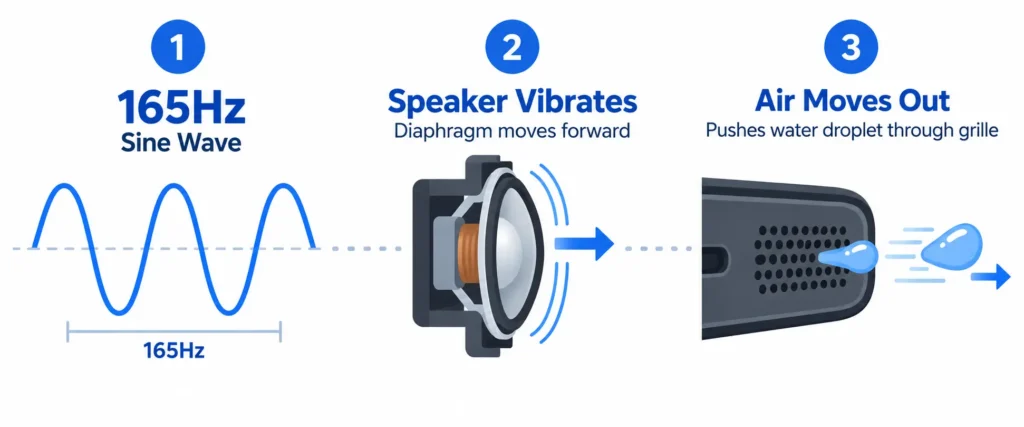
When you play a vibration sound, the speaker diaphragm moves back and forth rapidly. Each forward push creates a pressure pulse inside the speaker cavity. That pulse pushes against trapped water on the speaker membrane and grille mesh.
Water clings to surfaces through a force called surface tension. Think of surface tension as an invisible skin that holds a water droplet together and keeps it stuck to a surface. When the mechanical energy from the vibrating diaphragm exceeds that surface tension force, the droplet breaks free. The air pressure behind the stroke pushes it outward through the speaker grille.
You can often see this working in real time. Small water beads appear on the outside of the grille as the surface tension gets broken.
Why Maximum Volume Matters
The speaker diaphragm can only push water out if it moves far enough with each cycle. Volume controls how far the diaphragm travels per stroke. At 50% volume, the movement is too small to build enough air pressure. At 100% volume, the diaphragm reaches its full range of motion per cycle, which audio engineers call full excursion. That is the only level that generates enough force to push heavy water droplets through a fine mesh grille. Running the vibration sound at half volume will not produce results.
Why Multiple Cycles Beat One Long Run
The diaphragm’s backward stroke creates a slight suction that pulls some water back in with each cycle. Apple’s water eject system was specifically designed to run 10 separate cycles with short pauses between each one for this exact reason. Each pause lets the expelled water pool and drip away from the grille. The next cycle then pushes out a fresh batch. One unbroken long run undermines itself because of this back-and-forth suction. Run 30 to 60 second cycles, pause, wipe the outside of the grille, then run again.
What Frequency Should a Vibration Sound Be?
Not all frequencies do the same job. The right vibration sound frequency depends on what you are trying to remove.
| Use Case | Best Frequency | Why It Works |
| Water ejection | 165Hz fixed tone | Maximum diaphragm movement; overcomes surface tension |
| Dust removal | 120Hz to 400Hz sweep | Varying motion stops particles from re-settling |
| Deep bass test | 40Hz | Strong physical vibration felt throughout the device |
| General vibration test | 80Hz | Noticeable vibration without stressing the speaker |

The Best Frequency for Water Removal
The 165Hz tone sits in the bass-mid range of the audible spectrum. It is low enough that the speaker diaphragm travels a significant physical distance per stroke, building strong air pressure behind each push. It is also high enough to complete many strokes per second, keeping consistent force on trapped water.
Going too low, like 20Hz, mostly vibrates the whole phone body rather than creating targeted air movement through the grille. Going too high, like 5,000Hz, makes the diaphragm move so fast and so little per stroke that it cannot shift heavy water droplets at all.
The 140Hz to 170Hz range works well across most phone speakers. The 165Hz target became the community standard because it tested well across iPhone, Samsung Galaxy, and other Android devices without needing adjustment per device.
The Best Frequency for Dust Removal
Dust is a different problem. Water is held by a single force: surface tension. Dust particles are mechanically wedged into the speaker grille and held by static charge. A fixed single-frequency vibration sound lets dust particles find a stable resting point within that one oscillation pattern and stay put.
A frequency sweep, a tone that cycles through a range from 120Hz to 400Hz, constantly changes the vibration pattern. Particles cannot settle into any stable position because the motion keeps shifting. Think of shaking a jar of sand in a different direction every two seconds instead of in one steady rhythm. The particles stay loose and eventually fall free.
How to Use Vibration Sound to Clean Your Phone Speaker
Follow these steps in order for the best results.
- Remove the phone case. Cases block the speaker opening and trap water trying to exit.
- Disconnect all cables and earphones. The vibration sound must play through the phone’s own speaker, not a Bluetooth device.
- Wipe the outside dry. Remove any visible surface water so it cannot run back into the ports during cleaning.
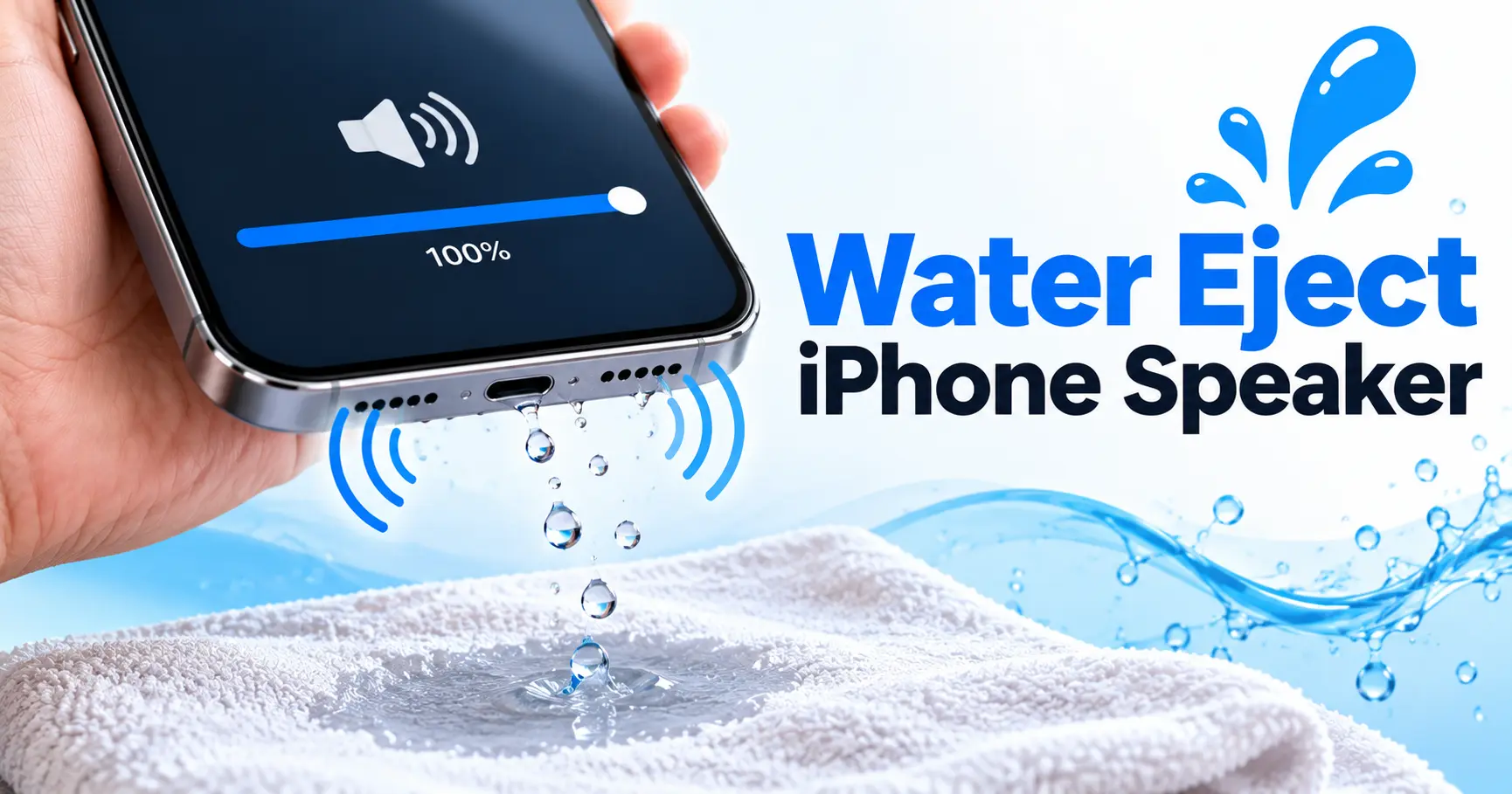
- Set volume to 100%. This is not optional. Full volume creates full diaphragm excursion.

- Hold the phone with the speaker grille facing down. Gravity helps water fall out once the surface tension breaks.
- Play the vibration sound for 30 to 60 seconds. The Fix My Speaker tool at fixmyspeaker.tech includes a Vibration Mode alongside its standard 165Hz water eject tone. Both are free and work directly in any browser with no download.
- Pause, wipe the grille, and repeat. Run 2 to 5 cycles for a minor splash. Heavy submersion may need up to 10 cycles.
Vibration Sound for Dust vs. Water: What Is the Difference?
Water responds to a steady, fixed vibration sound because the goal is maximum air pressure per stroke to break surface tension. Dust calls for a different approach.
Packed lint and fine particles inside a speaker grille are mechanically trapped and statically charged. A fixed tone lets them vibrate in sync with the speaker and stay in place. A sweeping frequency range, cycling through different low-frequency tones, constantly changes the acoustic vibration pattern. Particles cannot lock into any one position. They shake loose, break free from the speaker membrane, and get pushed out.
The Fix My Speaker Vibration Mode targets this with a lower-frequency rumble pattern that differs from the straight 165Hz water eject tone. Running both modes in sequence, water eject first and vibration second, gives the most complete clean.
Is Vibration Sound Safe for Your Phone Speaker?
Yes, when used correctly.
The low-frequency tones used for vibration sound cleaning, from 40Hz to 200Hz, all fall inside the 20Hz to 20,000Hz operating range that phone speaker manufacturers design for. Playing a sine wave at 165Hz is no different in principle from playing a bass-heavy song through your speaker. Your speaker handles that kind of acoustic vibration every day.
The one thing to watch: do not run the vibration sound continuously for hours at full volume. Short cycles of 30 to 60 seconds each with brief pauses between sessions keep the voice coil from warming up more than it needs to. If you hear anything that sounds worse after a session, or the phone feels hot near the speaker, stop and let the device rest.
A vibration sound tool cannot repair a physically torn diaphragm or a burnt voice coil. If the speaker sounds distorted in a way that does not clear up after several cleaning cycles, the issue is hardware damage and needs a technician.
What Does It Mean If Your Phone Speaker Is Making a Vibration Sound?
Sometimes “vibration sound” describes a symptom rather than a cleaning tool. A phone speaker that produces buzzing, rattling, or a vibrating noise during normal audio playback is signaling a problem.
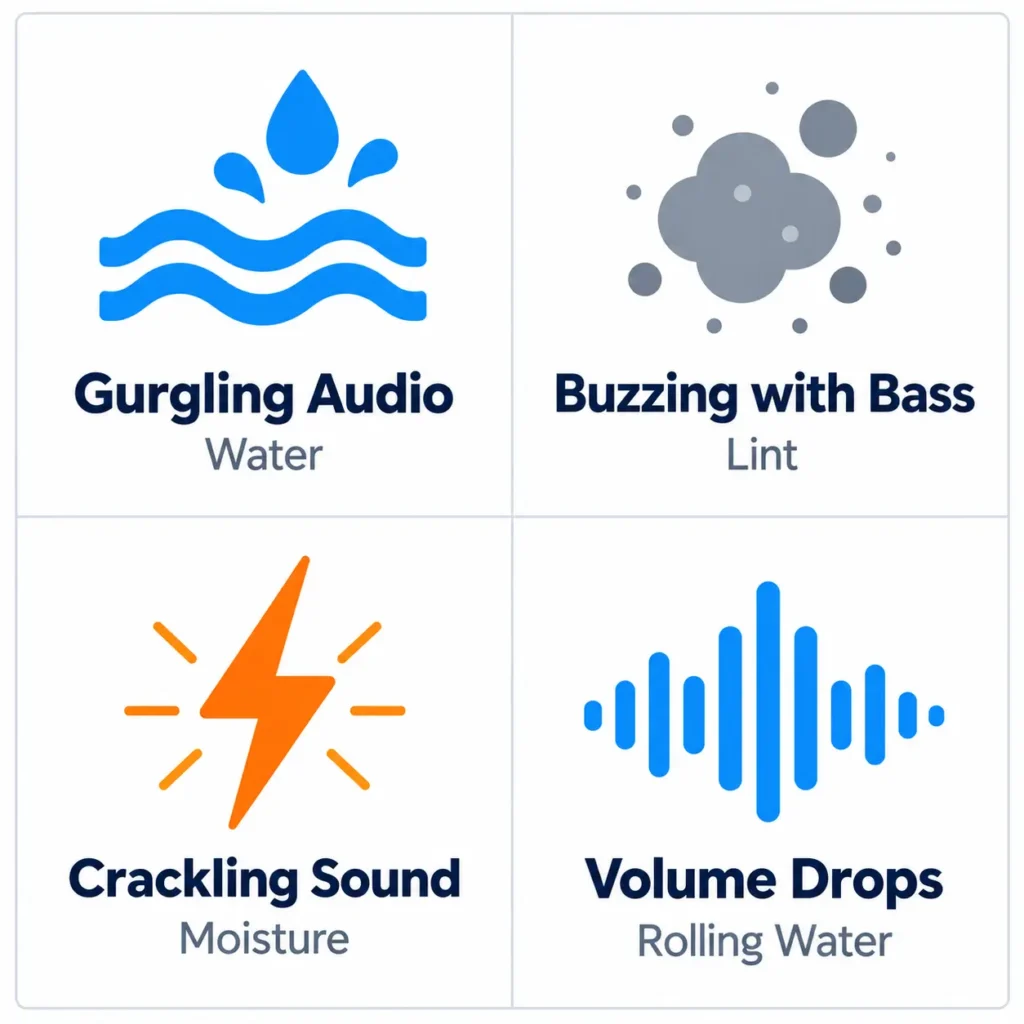
| Sound Coming From Speaker | Likely Cause |
| Gurgling or bubbling audio | Water resting on the speaker diaphragm |
| Rhythmic buzzing with bass | Loose lint vibrating against the grille mesh |
| Random crackling or static | Moisture bridging the speaker’s electrical contacts |
| Volume drops as you move the phone | Water rolling across the grille holes |
Quick test: Press your thumb gently over the bottom speaker grille. If the top audio clears up, the bottom speaker is the problem. If both sound bad, water or dust may be affecting both.
Running a vibration sound cleaning cycle is the right first response to any of these symptoms. If the buzzing clears after 3 to 5 cycles, the cause was a blockage, not a damaged part. If the sound persists after several cleaning sessions at full volume, the speaker likely has physical damage that sound waves alone cannot fix.
Try the Vibration Sound Tool Right Now
You now know what a vibration sound is, where the 165Hz standard came from, and exactly how to use it to clean your phone speaker.
The Fix My Speaker tool at fixmyspeaker.tech includes a dedicated Vibration Mode alongside its 165Hz Water Eject tone. Both are free, browser-based, and start working in seconds. Set your volume to 100%, hold the speaker grille down, and let the vibration sound work. No app. No account. No cost.
Use the Vibration Mode free at fixmyspeaker.tech
Frequently Asked Questions
What is a vibration sound used for on a speaker cleaner?
A vibration sound on a speaker cleaner is a low-frequency tone, usually between 40Hz and 200Hz, played at high volume to physically move the speaker diaphragm. This movement pushes water droplets and dust particles out through the speaker grille. It restores clearer and louder audio without opening the device or touching any internal parts.
What frequency is best for vibration sound to remove water?
The 165Hz frequency is the most widely tested benchmark for phone speaker water ejection. It creates the right balance of diaphragm movement and air velocity to overcome the surface tension holding water droplets to the speaker membrane. Some devices respond best anywhere between 140Hz and 170Hz depending on the speaker assembly.
How many times should I run a vibration sound to clean my speaker?
Run the vibration sound for 30 to 60 seconds, pause, wipe the grille, and repeat. Two to five cycles handles most minor splashes. For heavy submersion, 8 to 10 cycles are worth running. The Apple Watch water eject system was designed for 10 separate cycles because each cycle’s backward stroke pulls some water back in before the next push ejects it.
Is vibration sound the same as water eject sound?
They are related but not identical. A water eject sound is usually a fixed 165Hz tone designed to push water out through air pressure alone. A vibration sound mode may also activate the phone’s haptic motor alongside the speaker tone, adding physical shaking to dislodge particles that a pure sound wave cannot fully reach.
Can vibration sound clean dust as well as water?
Yes, but with a different approach. For water, a fixed 165Hz tone builds maximum air pressure per stroke to break surface tension. For dust, a sweeping frequency range from 120Hz to 400Hz works better. The changing pattern stops dust particles from settling back into a stable resting position inside the speaker grille.
Is it safe to play a vibration sound on my phone speaker?
Yes. Short sessions of 30 to 60 seconds with brief pauses between cycles are safe for any standard phone speaker. The tones fall within the speaker’s normal 20Hz to 20,000Hz operating range. Avoid running the tool continuously for hours at full volume, as this warms the voice coil beyond normal use levels.
Does my Android phone have a built-in vibration sound cleaner?
Some do. Xiaomi and Redmi phones often include a “Clear Speaker” option under Additional Settings that runs a short vibration sound burst. Samsung Galaxy phones do not have this feature built in by default. For most Android phones, a browser-based vibration sound tool is the fastest way to start cleaning without any download or setup.