Surround sound is a multi-channel audio system that places speakers around a listener to create a 360-degree sound field. The most common setup is 5.1: five speakers and one subwoofer. More advanced setups add rear channels (7.1) or ceiling speakers for Dolby Atmos. To get surround sound, you need a receiver or powered soundbar, correctly placed speakers, and a media source that sends a multi-channel signal. A surround sound test confirms every channel is routing correctly.
You set up five speakers, ran the cables, and pressed play. The sound still seems to come from the front of the room. That is one of the most common problems people run into with surround sound setups.
This guide explains what surround sound is, how the channel numbers work, what the major audio formats mean, and how to check if your setup is actually sending audio to the right speakers. Whether you are building a home theater system, a gaming audio setup, or just curious about that “5.1” label on your soundbar, this covers everything you need to know.
What Is Surround Sound?
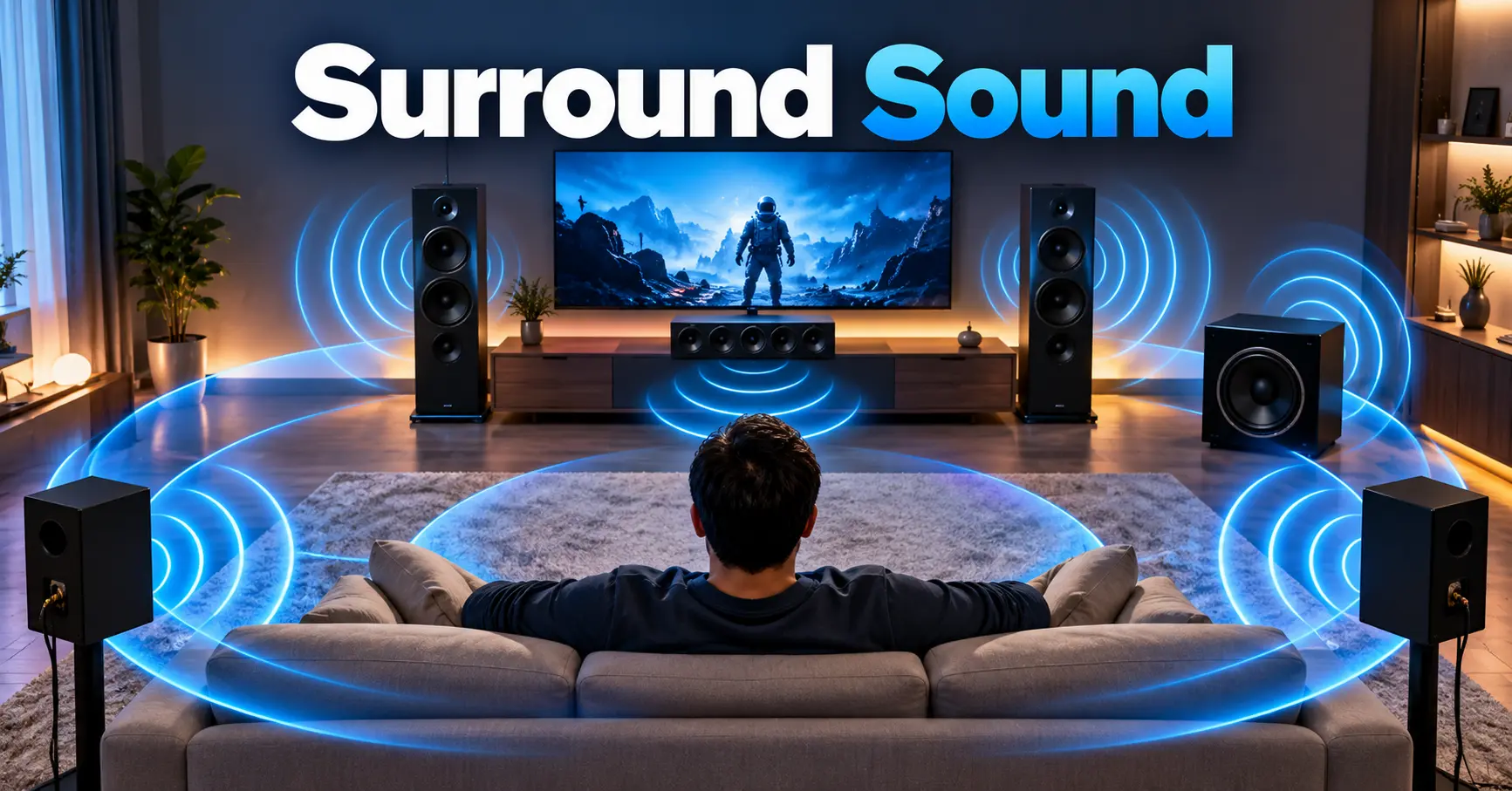
Surround sound is a way to play audio through multiple speakers placed around a listener. Instead of sound coming only from the front, it spreads audio to the left, right, center, rear, and overhead in advanced setups. This creates an audio experience where sounds appear to come from different directions around the room.
The first use of surround sound was in Disney’s film Fantasia in 1941. Commercial use grew through the 1950s. It became standard in movie theaters by the 1980s. Today, surround sound is used in home theater systems, gaming setups, and recording studios around the world.
The key difference between surround sound and other audio formats comes down to direction. Mono audio sends sound from one point. Stereo sound uses two channels: left and right. Surround sound adds center, rear, and side channels so audio wraps around you from multiple directions.
Surround sound also has a “sweet spot.” This is the seat or area in the room where all channels blend together correctly. Sitting in the sweet spot gives you the full spatial audio experience the sound engineers intended when they mixed the content.
In a surround sound system, each speaker has one job. The center channel carries dialogue. The front left and right speakers handle the main music and effects. The surround speakers carry ambient sounds and directional cues. The subwoofer handles deep bass. When every speaker does its job from the right position, the result is audio immersion that a stereo setup cannot match.
What Do the Numbers in Surround Sound Mean?
The numbers in a surround sound configuration tell you exactly how many speakers and subwoofers are in the system. The format follows a simple X.Y.Z pattern.

- The first number is the count of full-range speakers
- The second number is the count of subwoofers
- The third number (when present) is the count of overhead or height speakers
So a 5.1 system has five full-range speakers and one subwoofer. A 7.1 system has seven speakers and one subwoofer. A 5.1.2 system adds two ceiling or upward-firing speakers on top of the standard 5.1 layout.
| Channel Configuration | Full-Range Speakers | Subwoofers | Height Channels | Best Use Case |
| 2.0 | 2 | 0 | 0 | Music listening |
| 2.1 | 2 | 1 | 0 | Music and basic movies |
| 5.1 | 5 | 1 | 0 | Standard home theater; all movies are mixed for this |
| 7.1 | 7 | 1 | 0 | Larger rooms; more precise rear audio |
| 5.1.2 | 5 | 1 | 2 | Entry-level Dolby Atmos |
| 7.1.4 | 7 | 1 | 4 | Reference home theater with full Atmos or DTS:X |
What Does the .1 in Surround Sound Mean?
The “.1” refers to the subwoofer channel. In audio engineering, this channel is called the LFE channel, which stands for Low-Frequency Effects.
A standard speaker cannot reproduce sounds below about 80Hz cleanly. Deep bass from explosions, engines, and low music notes falls in that range. The subwoofer handles those sounds so the main speakers can focus on mid and high frequencies without distortion.
The THX standard sets 80Hz as the crossover point. All audio below 80Hz goes to the subwoofer. Audio above 80Hz goes to the main speakers. Most A/V receivers let you adjust this crossover frequency in their speaker settings menu. If you have small satellite speakers, raising the crossover to 100Hz or 120Hz gives the subwoofer more work and protects your main speakers from distortion.
How Surround Sound Works: From Signal to Speaker
Surround sound works by sending separate audio information to each speaker through a defined signal path. Here is how the audio travels from source to speaker:
- A media source (Blu-ray disc, streaming app, gaming console) outputs an encoded audio signal
- The signal travels to a decoder, usually built into an A/V receiver or powered soundbar
- The decoder separates the signal into individual audio channels
- Each channel is amplified and sent to the correct speaker
The audio format on the disc or stream controls which channels carry sound. Dolby Digital and DTS Digital Surround are the two most common formats. Both encode multiple audio channels into a compressed bitstream. The receiver decodes that bitstream during playback and routes each piece of audio to the right speaker.
The media source matters more than most people think. A Blu-ray disc sends a different audio signal than a browser tab on YouTube. A native streaming app on a Smart TV sends a different signal than the same app running in Chrome. The decoder in your receiver or soundbar can only work with the signal it receives. If the source sends stereo, the surround sound hardware plays stereo, even through all five speakers.
What Does a Receiver Do in a Surround Sound System?
An A/V receiver is the central hub of a traditional surround sound setup. It accepts audio input from your TV, Blu-ray player, gaming console, or other source. It decodes the multi-channel audio signal using built-in Dolby Digital, DTS, Dolby Atmos, and DTS:X processing. Then it amplifies each channel separately and sends it to the correct speaker.
Without a receiver, you cannot connect separate passive speakers to your TV for a true surround sound setup. Passive speakers have no built-in amplifier. They need an external amplifier to drive them, and the receiver provides that.
A powered soundbar with built-in decoding is the one alternative that skips the separate receiver. It handles decoding and amplification in a single unit. The trade-off is less flexibility in speaker choice and configuration.
What Is the Difference Between 5.1 and 7.1 Surround Sound?
A 5.1 system uses six total channels: front left, center, front right, surround left, surround right, and one subwoofer. A 7.1 system adds two more surround speakers placed directly behind the listening position for eight total channels.
The ITU-R BS.775 standard defines where speakers should sit in a 5.1 setup. Front left and right speakers go at 60 degrees from the center position. Side surround speakers sit at 100 to 120 degrees. The subwoofer position is flexible.
In a 7.1 setup, two rear surround speakers are added at 135 to 150 degrees behind the listening position. This fills in the space directly behind your head that side surround speakers cannot reach as accurately.
| Speaker Position | 5.1 Angle | 7.1 Angle |
| Front Left and Right | 60 degrees | 60 degrees |
| Center | 0 degrees (directly in front) | 0 degrees |
| Side Surrounds | 100 to 120 degrees | 90 to 110 degrees |
| Rear Surrounds | Not present | 135 to 150 degrees |
| Subwoofer | Flexible | Flexible |
The practical difference between 5.1 and 7.1 depends on your room size. In a room smaller than about 300 square feet, the side surround speakers in a 5.1 setup are already close to the rear of your seating area. Adding rear speakers provides little improvement. In a larger room over 350 square feet, 7.1 placement gives more precise audio positioning behind you.
Nearly all movies and TV shows are mixed for at least 5.1. Most Blu-ray discs and major streaming platforms also carry 7.1 audio tracks. Your receiver or soundbar selects the matching track based on your speaker configuration.
After placing your speakers, run a free surround sound test to confirm that each channel is firing correctly from the right position before you start watching or playing anything.
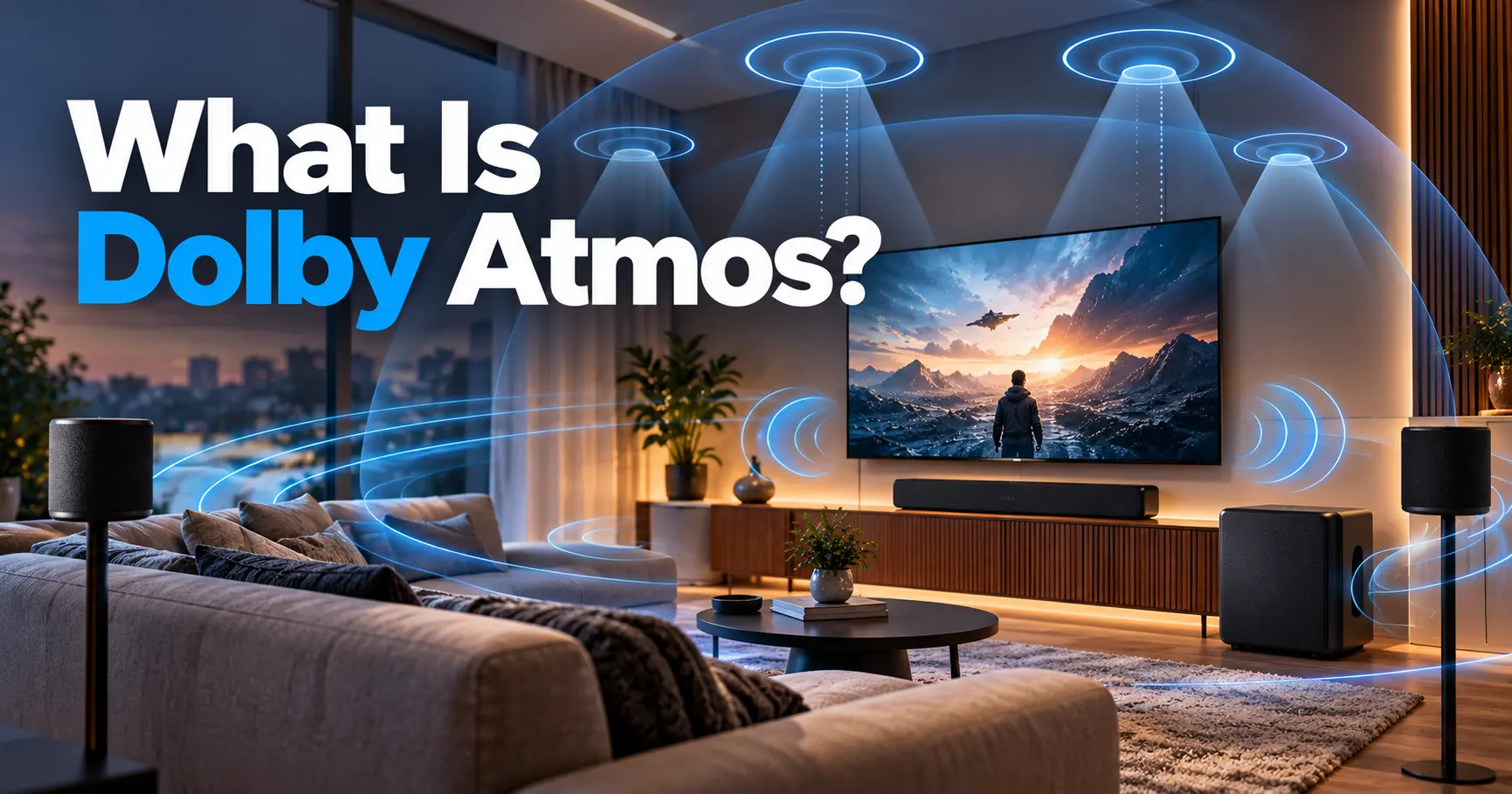
What Is Dolby Atmos and How Is It Different From Regular Surround Sound?
Dolby Atmos is an object-based audio format. Regular surround sound (5.1 and 7.1) is channel-based: each sound is locked to one specific speaker feed. Dolby Atmos treats each sound as a moving 3D object. The decoder decides at playback time which speaker that object should come from, including speakers mounted in or on the ceiling.

This means a raindrop in an Atmos mix can start above your head, fall past your ears, and land to your left side. Channel-based 5.1 audio cannot do that because there are no height channels to place sound above the listener.
DTS:X is the competing object-based format from DTS. Both Dolby Atmos and DTS:X work the same way in principle: sounds are placed as 3D objects rather than locked to fixed speaker channels.
The third number in a configuration code shows the height channels. A 5.1.2 setup has five main speakers, one subwoofer, and two ceiling or upward-firing speakers. A 7.1.4 setup is the standard reference layout for full Dolby Atmos or DTS:X playback.
Dolby Atmos content is available on Netflix, Disney+, and Apple TV+ through their native apps. Gaming consoles including the PlayStation 5 and Xbox Series X also support Atmos audio output.
One practical note: height speakers need to reflect sound off a flat ceiling at the right angle to work correctly. If your ceiling is too high or has an irregular shape, the height effect may not come through clearly. A well-placed 5.1 speaker system with good speakers will almost always outperform a cheap Atmos soundbar with a difficult room. Format and room acoustics both matter.
Is Surround Sound Better Than Stereo?
Surround sound is better than stereo sound for movies, action gaming, and home theater use. Stereo is often the better choice for music listening, podcasts, and casual audio.
Almost all movies, TV shows, and major games are mixed to take advantage of multiple audio channels. A car chase scene has sound designed to move from your front speakers to your rear speakers as the car passes you. Surround sound lets you hear that movement. Stereo sound collapses it all into a left and right mix.
For music, most albums are still mixed in stereo. Playing a stereo track through a surround sound system either spreads the mix across all speakers (which can sound thin and unnatural) or plays it only through the front two speakers. In that second case, you are basically using stereo anyway.
Gaming is a clear win for surround sound, especially for first-person shooters. Hearing footsteps behind your left shoulder is a real tactical advantage that stereo cannot give you. Many gaming headsets use HRTF processing (Head-Related Transfer Function) to simulate surround sound through two earphones. This is called virtual surround sound. It is different from a physical multi-channel speaker setup but still gives you better positional audio than plain stereo.
| Use Case | Surround Sound | Stereo Sound |
| Movies and TV shows | Better | Acceptable |
| First-person shooters | Better (real advantage) | Acceptable |
| Music listening | Acceptable | Better for most albums |
| Podcasts and voice | Either works | Simpler |
| Casual background audio | Either works | Less hardware needed |
Not sure if your current system is sending stereo or multi-channel audio? A stereo sound tester can show you exactly what signal your playback device is receiving right now.
What Equipment Do You Need for Surround Sound?
A basic 5.1 surround sound system needs four things to work correctly.
Speakers. At minimum, five full-range speakers (front left, center, front right, surround left, surround right) and one subwoofer. Speaker quality has the biggest impact on how good your system sounds. A quality 5.1 set with a mid-range receiver will outperform a budget 7.1 set in most rooms.
A/V Receiver. The receiver decodes the audio signal, amplifies each channel, and routes it to the correct speaker. Most receivers support Dolby Digital, DTS, Dolby Atmos, and DTS:X. Check the channel count before buying. A 5.1 receiver cannot support a 7.1 speaker setup because it does not have enough amplifier channels.
Cables. HDMI is the best cable type for passing surround sound from your TV, gaming console, or Blu-ray player to your receiver. HDMI ARC (Audio Return Channel) sends audio from your TV back to your receiver over a shared HDMI cable. HDMI eARC (Enhanced Audio Return Channel) supports uncompressed audio and is required for full Dolby Atmos and DTS:X pass-through. An optical (S/PDIF) cable can only carry compressed 5.1 audio. It cannot carry 7.1 or uncompressed Atmos signals, even if you have the hardware for it.
Media Source. Your Blu-ray player, gaming console, or streaming app must output a multi-channel audio signal. If it outputs stereo, all five speakers still play, but they all play the same left and right mix with no surround information.
Soundbar vs Speaker Package: Which Should You Choose?
A powered soundbar with wireless rear speakers is the simpler option. It has a built-in decoder and amplifier, so you skip a separate A/V receiver. Setup is faster and the cable count is lower. The trade-off is that you cannot swap out individual speakers or upgrade one component at a time.
A traditional speaker package with an A/V receiver gives you better audio quality per dollar, more flexibility in speaker placement, and the ability to upgrade your system piece by piece over time.
If you have limited space or want a minimal setup, a quality soundbar with dedicated rear speakers is a solid starting point. For a dedicated home theater room, a separate speaker system and receiver gives better results at the same price point.
How Do You Know If Your Surround Sound Is Actually Working?
This is the step most setup guides leave out. Confirming that your surround sound system works correctly has two parts. You need to check both of them.
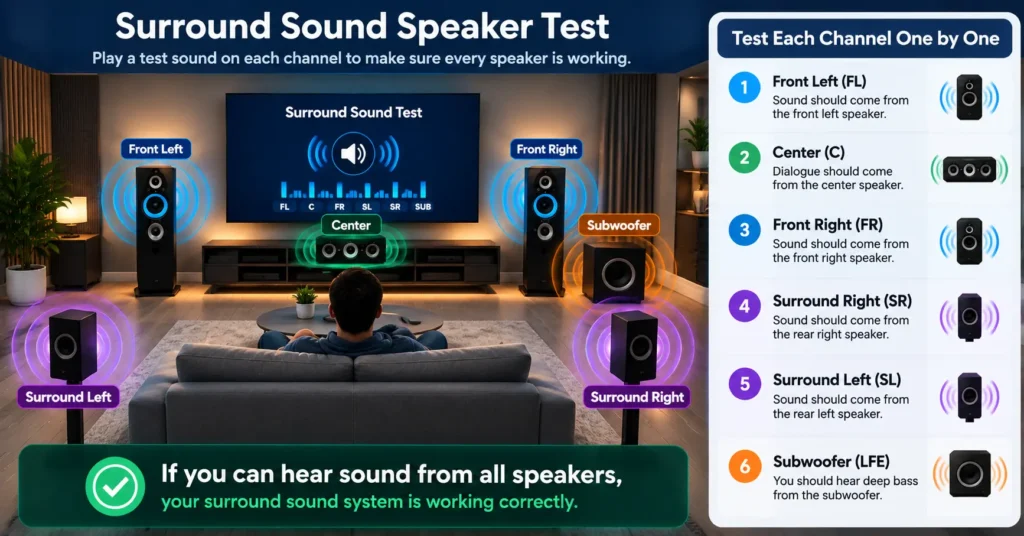
Step 1: Check that your operating system is routing audio to all channels.
On Windows 10 or Windows 11, right-click the speaker icon in the taskbar. Select Sound Settings. Choose your playback device, click Configure, select 5.1 or 7.1 Surround, and click Test. A short chime plays from each speaker one at a time. If a speaker stays silent, there is a wiring error or driver problem on that channel.
On Mac, open System Settings and go to Sound. Select your output device and look for a Channel Test option to fire audio through each speaker.
Step 2: Check that your media source is sending a multi-channel signal.
Passing the Windows channel test does not mean your movies and games are playing in surround sound. That test plays a built-in chime file from the operating system. When you watch a movie, your computer or TV plays whatever audio signal the source application sends.
Browsers like Chrome and Firefox send stereo audio only. A 5.1 movie on Netflix will play as stereo in a browser tab, even with a complete 7.1 speaker setup active. To get true multi-channel audio from streaming services, use a native app (the Netflix app, the Disney+ app) rather than a browser window. On PC, use VLC Media Player with a locally saved MKV file that has a 5.1 or 7.1 audio track to hear true multi-channel playback.
The fastest way to check if each speaker channel is receiving and playing correctly is to run a free surround sound test at fixmyspeaker.tech. It fires a test tone from each channel position (front left, center, front right, surround left, surround right, subwoofer) one at a time. You can hear exactly which speakers are working and which are silent or misrouted.
Quick troubleshooting checklist:
- Rear speakers are silent during the test: Check that the cable is in the correct port. On a PC with a color-coded sound card, rear speakers use the black port. On a receiver, look for the label that says Surround or Rear
- Subwoofer produces no sound: Go back into your speaker setup and make sure the “Full-range speakers” checkbox is NOT checked. That setting sends bass to your front speakers and cuts the subwoofer signal entirely
- Everything still sounds like stereo after setup: Your media source is likely sending a stereo signal. Switch from a browser to a native streaming app. Check that your game’s audio settings are set to surround sound, not stereo output
- One channel is too quiet compared to others: Run the surround sound test to isolate which speaker has the problem. Then check the cable connection at that specific speaker and at the receiver binding post for that channel
- Volume drops or fluctuates during playback: This is often a cable issue. Replace the HDMI cable if you are passing audio over HDMI, or check that all speaker cables have a secure connection at both ends
For a full step-by-step walkthrough of PC-specific channel testing on Windows 10 and Windows 11, the guide to testing 7.1 surround sound on PC covers both the OS channel test and the content source test in detail.
Commosn Surround Sound Setup Mistakes (And How to Fix Them)
The right hardware is only part of the equation. A handful of setup errors can make a good surround sound system sound flat, thin, or no better than stereo. Here are the most common ones and what to do about each.
| Problem | Cause | Fix |
| Sound is thin with weak bass | Speakers are wired out of phase (red wire to black terminal on one speaker) | Swap the wires on one speaker so both terminals match (red to red, black to black) |
| Subwoofer makes no sound during testing | “Full-range speakers” is checked in speaker setup | Uncheck it so the crossover frequency sends bass frequencies to the subwoofer |
| Rear speakers pass channel test but not movies | Media player sends stereo, not multi-channel audio | Switch to a native streaming app or change in-game audio settings to surround sound |
| System defaults to stereo on HDMI | Using ARC instead of eARC for Atmos content | Use an eARC port and an Ultra High Speed HDMI cable on both TV and receiver |
| One surround speaker sounds louder than the other | Speaker output levels are not balanced | Use a free SPL meter app, sit in your listening position, and adjust each speaker to 75dB |
| Dialogue is hard to hear over sound effects | Center channel level is set too low | Raise the center channel level by 2 to 3dB in your receiver’s speaker level settings |
| Gaming headset virtual surround sounds flat | Companion software is off or not installed | Open Razer Synapse, Logitech G Hub, or SteelSeries GG and switch on virtual surround processing |
One mistake that many people make is running the Windows channel test and assuming their full system is good. The OS test only checks audio driver routing. It tells you nothing about whether your Blu-ray player, gaming console, or streaming app is actually sending a multi-channel signal to your receiver. Run both tests: the OS channel test and a content source test using a known multi-channel audio file.
Check If Your Surround Sound Is Set Up Correctly
Now that you know what surround sound is, how the channel numbers work, and what the major audio formats do, the next step is to confirm your own setup is routing audio to the right speakers.
Run a free surround sound test at fixmyspeaker.tech. Each speaker channel fires a test tone one at a time so you can hear exactly which speakers are active, which are silent, and whether the audio is coming from the correct position in the room.
If you are testing on a Windows 10 or Windows 11 PC with a gaming headset or a physical speaker system, the step-by-step guide to testing 7.1 surround sound on PC walks you through both the OS channel test and the content source test in detail.
A setup that passes the OS channel test AND plays multi-channel audio from your content source is working correctly. If either test fails, the troubleshooting checklist above covers the most common fixes.
Frequently Asked Questions About Surround Sound
What does 5.1 mean in surround sound?
The 5 refers to five full-range speakers: front left, front right, center, surround left, and surround right. The .1 refers to one subwoofer, which handles the LFE channel for deep bass sounds that standard speakers cannot reproduce cleanly. Together they create a complete sound field around the listener in a home theater system.
Is surround sound worth it for gaming?
Yes, surround sound gives a real advantage in games where the direction of audio matters. In first-person shooters, hearing footsteps or gunfire from a specific direction is a genuine tactical edge. Most gaming headsets use HRTF processing to simulate virtual 7.1 surround sound through two earphones rather than using physical speaker arrays, which still provides solid directional audio for gaming.
Is Dolby Atmos the same as surround sound?
No. Dolby Atmos is an extension of surround sound that adds height channels above the listener. Regular 5.1 and 7.1 are channel-based: each sound is locked to one speaker feed. Dolby Atmos is object-based: the decoder treats each sound as a 3D object and places it in the most appropriate speaker at playback time, including ceiling or upward-firing height speakers.
Can you get surround sound without a receiver?
Yes. A powered soundbar with wireless rear speakers handles decoding and amplification internally, so you do not need a separate A/V receiver. The trade-off is less flexibility in speaker choice. You cannot swap out individual speakers or mix and match components as easily as you can with a traditional receiver-based system.
How do I test if my surround sound is working correctly?
Run the channel test in your OS audio settings (on Windows: Sound Settings, Configure, 5.1 or 7.1 Surround, Test). This confirms that each speaker fires. Then play a Dolby Digital or DTS-encoded file using a native app rather than a browser to confirm your media source is also sending multi-channel audio and not stereo output.
Is a soundbar the same as surround sound?
Not always. A basic soundbar is a stereo or 2.1 device that uses digital processing to create a simulated spatial audio effect. Some soundbars pair with wireless rear speakers to build a true 5.1 channel layout. Whether a soundbar counts as real surround sound depends on whether it uses discrete speaker channels or virtual simulation.
Is there a free online surround sound test?
Yes. A browser-based surround sound test fires a tone from each speaker channel one at a time. This lets you check whether your front, center, surround, and subwoofer channels are all receiving their signals correctly. For the test to work, your OS must be configured for 5.1 or 7.1 output before you open the browser test tool.