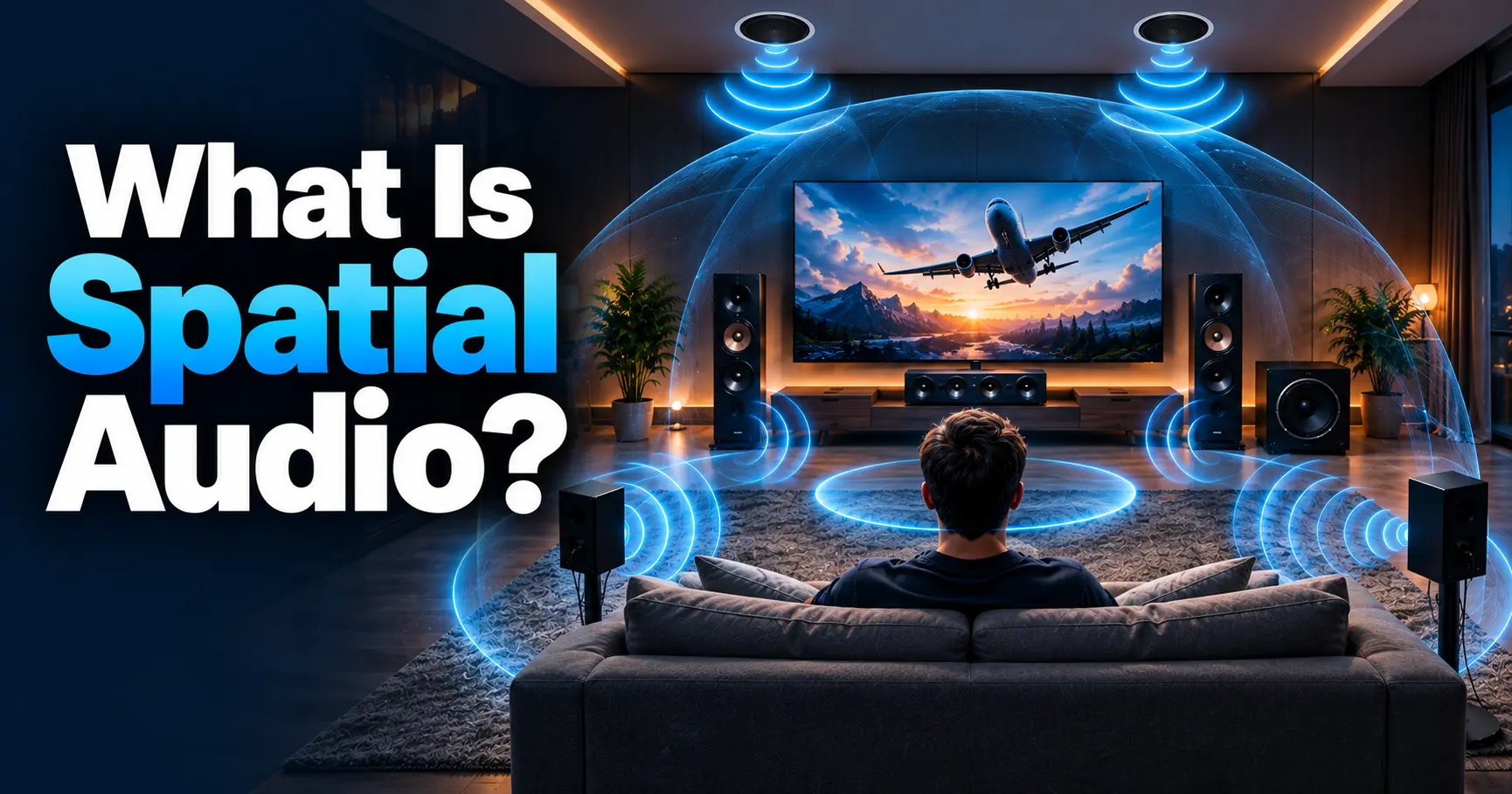
Spatial audio is a technology that makes sound feel like it’s coming from a three-dimensional space around you, not just left and right like regular stereo. It uses audio processing filters called HRTFs (Head-Related Transfer Functions) to copy how your ears naturally locate sound in the real world. Common formats include Dolby Atmos, Sony 360 Reality Audio, and Apple Spatial Audio. You can experience it through compatible headphones, speakers, and streaming apps including Apple Music, Amazon Music, and Tidal.
You have probably seen the label “Spatial Audio” show up on your iPhone, next to a song in Apple Music, or beside a show on Netflix. But what is spatial audio, and does it actually change the way music and movies sound?
This guide covers what spatial audio means, how it works through a technology called HRTF, how it sits apart from both stereo sound and Dolby Atmos, which devices and apps support it, and how to check whether it is running correctly on your device.
What Is Spatial Audio?
Spatial audio is an audio technology that creates a three-dimensional sound field around a listener. It is also called 3D audio or immersive audio. All three terms point to the same idea.
With regular stereo sound, audio plays from two points: left and right. That gives you a flat, horizontal sound. Spatial audio adds height, depth, and distance. Sounds can come from above you, behind you, or far to one side. The listening experience feels more like being in a real room.
The phrase “spatial audio” is an umbrella term. Dolby Atmos, DTS:X, Sony 360 Reality Audio, and Apple Spatial Audio are all specific formats that fall inside that category. Spatial audio is not a single product. It is the name for the entire field of placing sound in a 3D space.
The concept is older than most people expect. Disney used early spatial audio techniques in the 1941 film Fantasia. However, it became a mainstream consumer technology when Apple introduced Spatial Audio in iOS 14 in September 2020. Since then, the term has spread across phones, headphones, gaming consoles, streaming apps, and cars.
How Does Spatial Audio Work?
When you hear a car drive past you on a real street, you know exactly where it came from. You heard it approach from your left, pass in front, and move to your right. Your brain worked that out without any effort at all.
Spatial audio works by copying those natural hearing cues and applying them to what plays through your headphones or speakers. Your ears pick up three specific signals in real life, and a spatial audio system has to recreate all three:
- Interaural Time Difference (ITD): Sound takes a tiny fraction of a second longer to reach one ear than the other when it comes from the side. Your brain reads that small delay and uses it to place the sound left or right.
- Interaural Level Difference (ILD): The ear closer to a sound hears it slightly louder. Your brain compares the two volume levels to judge direction.
- Spectral shaping by the outer ear (pinna): The ridges and curves of your outer ear filter certain sound frequencies depending on whether a sound is above you, below you, or straight ahead. That filtering is what tells your brain about height and front-back position.

Spatial audio systems copy all three cues through signal processing. According to a Qualcomm State of Sound report, 76% of consumer spatial audio listening happens over headphones using binaural HRTF filters. That means most people already experience spatial audio through a simple pair of earphones, not a room full of speakers.
What Is HRTF?
HRTF stands for Head-Related Transfer Function. It is the set of audio filters that captures how sound from any direction interacts with a person’s specific body before reaching their eardrums.
Think of it as a personal sound map for your ears. Audio engineers apply HRTF processing to an audio track so that headphones can place each sound at a specific location in 3D space. The two drivers in your headphones are doing all the work that a full speaker setup would normally do.
Most spatial audio systems use a generic HRTF built from measurements taken across many different people. That works well for most listeners. Apple goes one step further with personalized spatial audio on AirPods Pro (second generation and later) and AirPods Max.
Those headphones use the iPhone camera to scan each user’s individual ear shape and build a custom HRTF profile for that person. Because your pinna shape is unique, a personalized profile places sounds more accurately than a one-size-fits-all average. The Audio Engineering Society (AES) has covered individualized HRTF research extensively, noting that personal morphology is the biggest variable in headphone-based spatial positioning.
What Is Head Tracking in Spatial Audio?
Head tracking is a feature found in select headphones, including AirPods Pro, AirPods Max, Sony WF-1000XM5, Bose QuietComfort Ultra, and Samsung Galaxy Buds 3 Pro.
These headphones contain built-in gyroscopes and accelerometers. Those sensors track your head movement in real time. As you turn your head left or right, the audio updates so that sound stays anchored to the screen position, not to the direction your face is pointing.
Without head tracking, spatial audio creates a fixed 3D sound environment. This is called static spatial audio. The sound field surrounds you but does not react to your movements. With head tracking enabled, the experience becomes dynamic spatial audio. The sound environment updates in real time, just like it would if you turned your head inside a real room.
Not all headphones include the sensors needed for head tracking. Standard Bluetooth headphones can still receive and play spatial audio content. They just deliver the static version, without real-time movement response.
What Is the Difference Between Spatial Audio and Stereo Sound?
Stereo sound uses two channels: left and right. It creates a flat, horizontal soundstage. Sounds can feel like they come from the left side, the right side, or somewhere in between. Nothing can come from above you, below you, or directly behind you.
Spatial audio expands that flat plane into a full three-dimensional sphere. Sounds can be placed anywhere around the listener, including above and behind.
A simple way to picture it: stereo is a flat line stretching from ear to ear. Spatial audio is a globe with your head at the center.
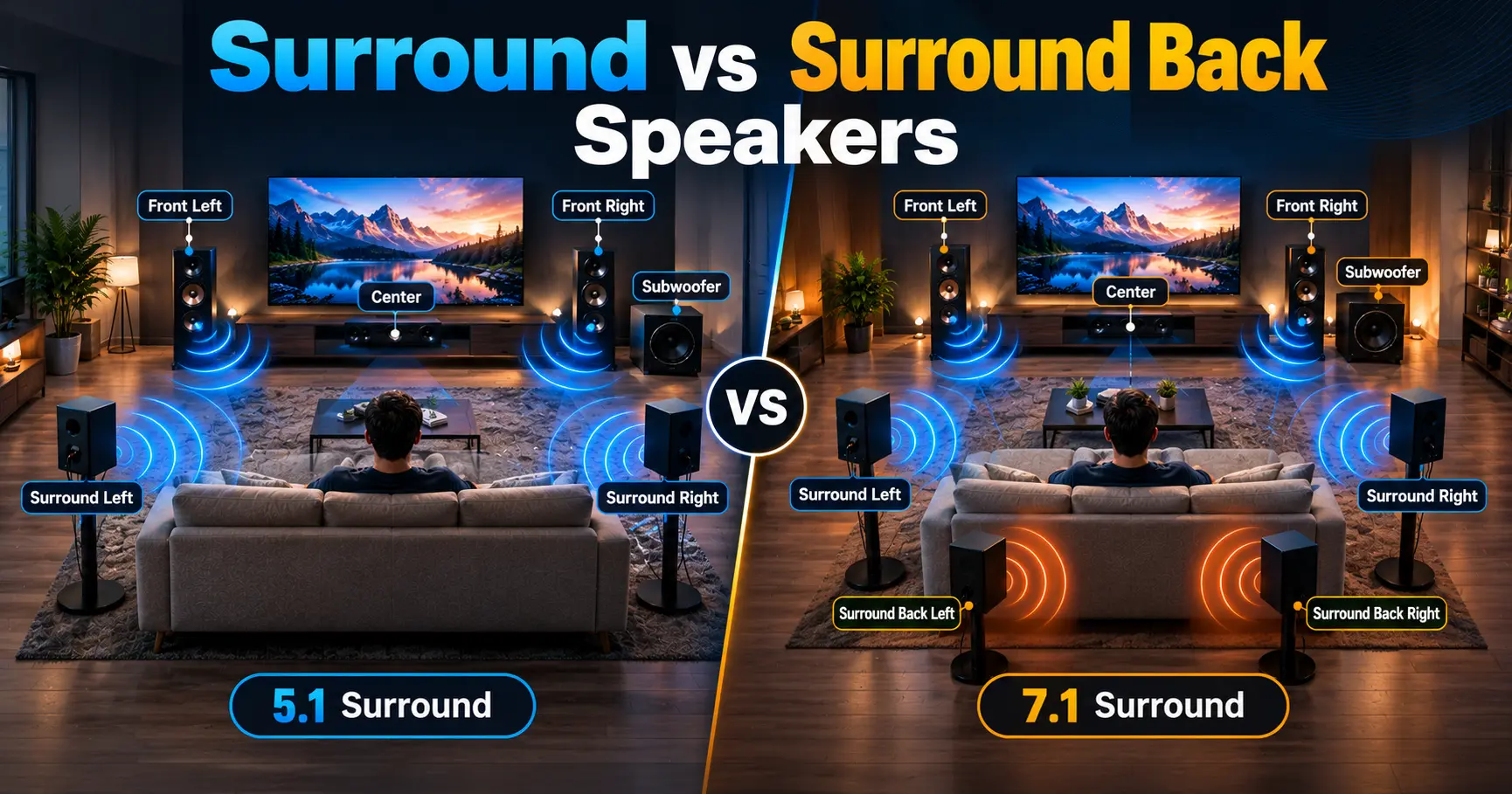
Surround sound, like 5.1 or 7.1 speaker setups, sits between the two. It uses multiple physical speakers to add sounds from the sides and back. But traditional surround sound stays mostly horizontal. It does not add true height unless it uses a format like Dolby Atmos. For a full breakdown of how 5.1 and 7.1 channel configurations work and how to test them, see the What Is Surround Sound? guide.

| Format | Channels | Sound Directions | Headphone Experience |
| Mono | 1 | Front only | Flat and centered |
| Stereo | 2 | Left and right only | Flat, horizontal |
| Surround Sound (5.1 or 7.1) | 5 to 8 | Left, right, back, front | Needs physical speakers |
| Spatial Audio | Varies by format | All directions, including above and below | Works through headphones via HRTF |
Is Spatial Audio the Same as Dolby Atmos?
No. Spatial audio is the broad category. Dolby Atmos is one specific format inside that category.
The relationship works like this: “spatial audio” is like saying “fruit.” Dolby Atmos is like saying “apple.” DTS:X, Sony 360 Reality Audio, Apple Spatial Audio, and Windows Sonic are other types of fruit in the same basket.
Dolby Laboratories built Dolby Atmos on object-based audio technology. Instead of locking each sound to a fixed speaker channel, Atmos stores each sound as a moveable 3D object with position data. The playback system places that object in the best available speaker at the moment it plays. That is what lets Dolby Atmos work equally well through a cinema’s overhead speaker array and through a pair of AirPods. Dolby Atmos is active in more than 7,800 cinema screens across 105 countries, according to Dolby data. As of CES 2026, Dolby Atmos spans over 150 car models across 35 brands.
Apple Spatial Audio is built on top of Dolby Atmos content. Apple adds head tracking through the gyroscopes and accelerometers inside AirPods Pro, AirPods Max, and compatible Beats headphones. That real-time head response is what separates Apple’s version from basic Dolby Atmos playback on any other device.
Sony 360 Reality Audio uses an ambisonics-based approach optimized for music. It is available on Amazon Music Unlimited and Tidal. DTS:X is a competing object-based format common in home theater receivers and Xbox gaming. Windows Sonic is Microsoft’s own headphone spatial audio system, built into Windows 10, Windows 11, and Xbox Series X.
| Format | Made By | Type | Available On | Best For |
| Dolby Atmos | Dolby Laboratories | Object-based | Apple Music, Netflix, Disney+, Amazon Music, Apple TV+, Xbox | Movies, TV, gaming, and music |
| DTS:X | DTS Inc. | Object-based | Home theater receivers, Xbox | Home theater and gaming |
| Sony 360 Reality Audio | Sony | Ambisonics-based | Amazon Music, Tidal | Music |
| Apple Spatial Audio | Apple Inc. | Dolby Atmos plus head tracking | Apple Music, Apple TV+, Netflix on iOS, FaceTime | Apple device users with AirPods |
| Windows Sonic | Microsoft | Virtual surround | Windows 10/11, Xbox | PC gaming, headphones |
What Devices and Apps Support Spatial Audio?
Spatial audio has moved well past early adopters. It is now built into a wide range of devices and platforms.

Headphones and earbuds with spatial audio support:
- AirPods Pro (first and second generation), AirPods Max, AirPods (third generation), Beats Fit Pro
- Sony WF-1000XM5 and Sony WH-1000XM5
- Bose QuietComfort Ultra
- Samsung Galaxy Buds 3 Pro
Keep in mind that dynamic head tracking requires built-in gyroscopes and accelerometers. Check the manufacturer specs for that feature before buying. Standard headphones without those sensors still play spatial audio content but deliver the static version only.
Gaming consoles:
PlayStation 5 uses Sony’s Tempest 3D AudioTech. It works automatically with compatible Pulse headsets, and every game using the Tempest engine maps to Dolby Atmos output. Xbox Series X supports both Dolby Atmos and Windows Sonic for headphones. According to Business Research Insights (2026), 59% of gaming headsets now come with spatial audio built in, and 61% of newly launched models include it. The same report found that 61% of gamers rate audio quality as critical to their competitive edge.
Streaming apps that carry spatial audio content:
- Apple Music hosts around 15 million tracks in Dolby Atmos out of a total catalog of over 100 million, according to Production Expert (2025)
- Amazon Music Unlimited
- Tidal
- Netflix
- Disney+
- Apple TV+
- Peacock became the first streaming service to deliver weekly NFL games in Dolby Atmos, starting September 2025
Spotify: Spotify launched 24-bit lossless audio in FLAC format in September 2025. As of October 2026, Spotify still does not support spatial audio. For spatial audio music streaming, Apple Music, Amazon Music Unlimited, and Tidal are the current options.
Automotive: Dolby Atmos now spans over 150 car models across more than 35 brands as of CES 2026, according to Dolby Laboratories. The number of automotive brands supporting it doubled to over 25 at Auto Shanghai 2025 from just 12 a year earlier.
If you use earbuds for spatial audio, a blocked ear speaker reduces the spatial effect noticeably. A free ear speaker cleaner can help clear the audio path.
Does Spatial Audio Make Music Sound Better?
The honest answer is: it depends on the music and the mix.
Music that a professional audio engineer mixed natively in Dolby Atmos sounds genuinely different. The engineer placed each instrument and vocal as a 3D object in the sound field. Vocals can sit right in front of you while percussion fills the space to your sides and above. According to Apple (2026), more than 90% of Apple Music listeners have tried Spatial Audio, and it now drives roughly one-third of all plays on the platform. A consumer survey from Agora (2022) found that 79% of Gen Z respondents said they would pay for spatial audio headphones.
But not all content benefits equally. A stereo recording from the 1970s that gets run through a spatial audio processing algorithm sounds wider. It does not always sound better. On certain genres, especially jazz or classical music mixed carefully in two channels, the widening effect can feel unnatural.
The clearest and most consistent improvement from spatial audio comes in movies and games. A gunshot that seems to come from behind your left shoulder, or footsteps in a first-person game that tell you exactly where an opponent is standing, are real improvements that stereo simply cannot match. The Audio Engineering Society (AES) notes that object-based mixing gives sound designers precise control over the three-dimensional placement of every element in a scene.
Does Spatial Audio Work Through Phone and Laptop Speakers?
Yes. Spatial audio works through built-in phone and laptop speakers. But the result changes a lot depending on the device and the condition of the speaker.
Multi-driver setups like the MacBook Pro six-speaker system or the iPad Pro stereo array produce noticeably better spatial results. More physical speakers give the HRTF-based processing more real points to work with. A single bottom-firing phone speaker can only approximate spatial width. The experience is thinner than what you get through headphones.
There is one factor most people overlook: speaker condition. HRTF-based spatial audio depends on accurate high-frequency reproduction. The directional cues your brain needs to detect height and depth live mostly in the 4 to 16 kHz range. When a speaker is blocked by dust or water, it loses output in exactly that frequency range. A blocked phone speaker can flatten a well-mixed Dolby Atmos track into something that sounds no better than standard stereo.
If your phone or laptop speaker sounds muffled or thin even with Dolby Atmos content playing, a physical blockage may be cutting the high frequencies that binaural rendering depends on. A free speaker sound test can confirm whether the issue is a blockage or a routing problem. The Fix My Speaker acoustic cleaning tool uses a 165Hz tone to push water and dust out of the speaker grill, which restores the full frequency range that spatial audio needs to work correctly.
How Do I Know If Spatial Audio Is Working?
Many people turn on spatial audio in settings but never check whether it is actually doing anything. Here is a step-by-step process to verify it.
- Enable spatial audio in settings. On iPhone: go to Settings, tap Bluetooth, tap the information icon next to your headphones, and switch Spatial Audio on. On Mac: open System Settings and go to Sound. On Xbox: open Audio Settings and select your preferred spatial sound format.
- Check that your headphones support it. Look at the manufacturer specifications for Dolby Atmos support or a spatial audio badge. Headphones without compatible chips or head-tracking sensors will receive basic spatial audio but not the dynamic version.
- Open compatible content. Play a Dolby Atmos song in Apple Music or a title labeled “Spatial Audio” on Netflix.
- Move your head slowly from side to side. With dynamic head tracking active, the audio should stay anchored to the screen. The sound field should not rotate with your head. If it does rotate, check that head tracking is switched on in your Bluetooth settings.
- Check your content source, not just your device settings. Passing your operating system’s audio channel test does not mean your media player is sending spatial audio content. The OS test plays a built-in tone file. When you watch a film or stream music, the audio signal comes from the app. A browser like Chrome sends stereo only, even with a full speaker setup. Use a native app for spatial audio content.
- Run a channel routing test. A free stereo sound tester confirms that left and right channels are routing correctly to your headphones or speakers. A free surround sound test fires a tone from each speaker channel one at a time so you can hear which channels are active. For a full step-by-step walkthrough on Windows, the guide to testing 7.1 surround sound on PC covers both the OS channel test and the content source test in detail.
Spatial audio is only as good as the speaker or headphones delivering it. If your phone or laptop speaker sounds flat or thin even with Dolby Atmos content playing, a physical blockage may be cutting the high-frequency output that HRTF-based binaural audio depends on. You can check whether each audio channel is routing correctly with a free surround sound test or stereo sound test at fixmyspeaker.tech. If the speaker itself sounds off, the acoustic speaker cleaning tool can help clear water and dust before they permanently reduce your audio quality.
Frequently Asked Questions About Spatial Audio
Is spatial audio only for Apple products?
No. Spatial audio works on Android phones, PlayStation 5, Xbox Series X, and Windows PCs. Sony’s Tempest 3D AudioTech and Microsoft’s Windows Sonic are both spatial audio systems that have nothing to do with Apple. Dolby Atmos, the most common spatial audio format, works on any compatible device regardless of the brand.
Can you use spatial audio with any headphones?
Basic spatial audio, meaning sound with added depth and direction, works through any stereo headphones when the content is encoded in Dolby Atmos. Dynamic head tracking, which keeps audio anchored to a screen as you move your head, requires headphones with built-in gyroscopes and accelerometers. Most standard headphones do not include those sensors.
What does spatial audio sound like?
It sounds like the music or movie is playing around you rather than inside your head. Instruments feel placed at different positions in the room. Vocals sit centered in front while other sounds fill the space to the sides and above. In films, effects come from specific directions. The result is strongest when you use compatible headphones and play a track that was natively mixed in Dolby Atmos, not a stereo file that was converted later.
Does spatial audio drain battery faster?
Yes, slightly. Processing spatial audio takes extra computing power from both the device and the headphone chip. With dynamic head tracking running continuously, the gyroscope and accelerometer sensors add a small but real draw. Apple estimates that extended spatial audio sessions reduce AirPods Pro battery life by roughly 10 to 15% compared to standard stereo playback.
Why does spatial audio make voices sound far away?
This usually happens when the spatial audio processing places the vocal track at screen distance rather than close to the listener. It is most noticeable when switching from a loud, bass-heavy stereo mix to a spatial audio version where the center channel audio, the part carrying lead vocals or dialogue, has been repositioned in the 3D sound field by the mixing engineer.
Does spatial audio work with Spotify?
No, not as of October 2026. Spotify launched 24-bit lossless audio in FLAC format in September 2025, but has not added spatial audio. For spatial audio music, Apple Music, Amazon Music Unlimited, and Tidal are the current streaming platforms that carry Dolby Atmos tracks.
Is spatial audio the same as virtual surround sound?
They use related technology but are different things. Virtual surround sound refers to older processing that simulates the width of a speaker array through headphones, often using basic crossfeed tricks. Spatial audio in the current sense uses full HRTF filtering, object-based formats like Dolby Atmos, and in some cases real-time head tracking from gyroscopes and accelerometers. The result is more accurate and more immersive than what older virtual surround systems could produce.