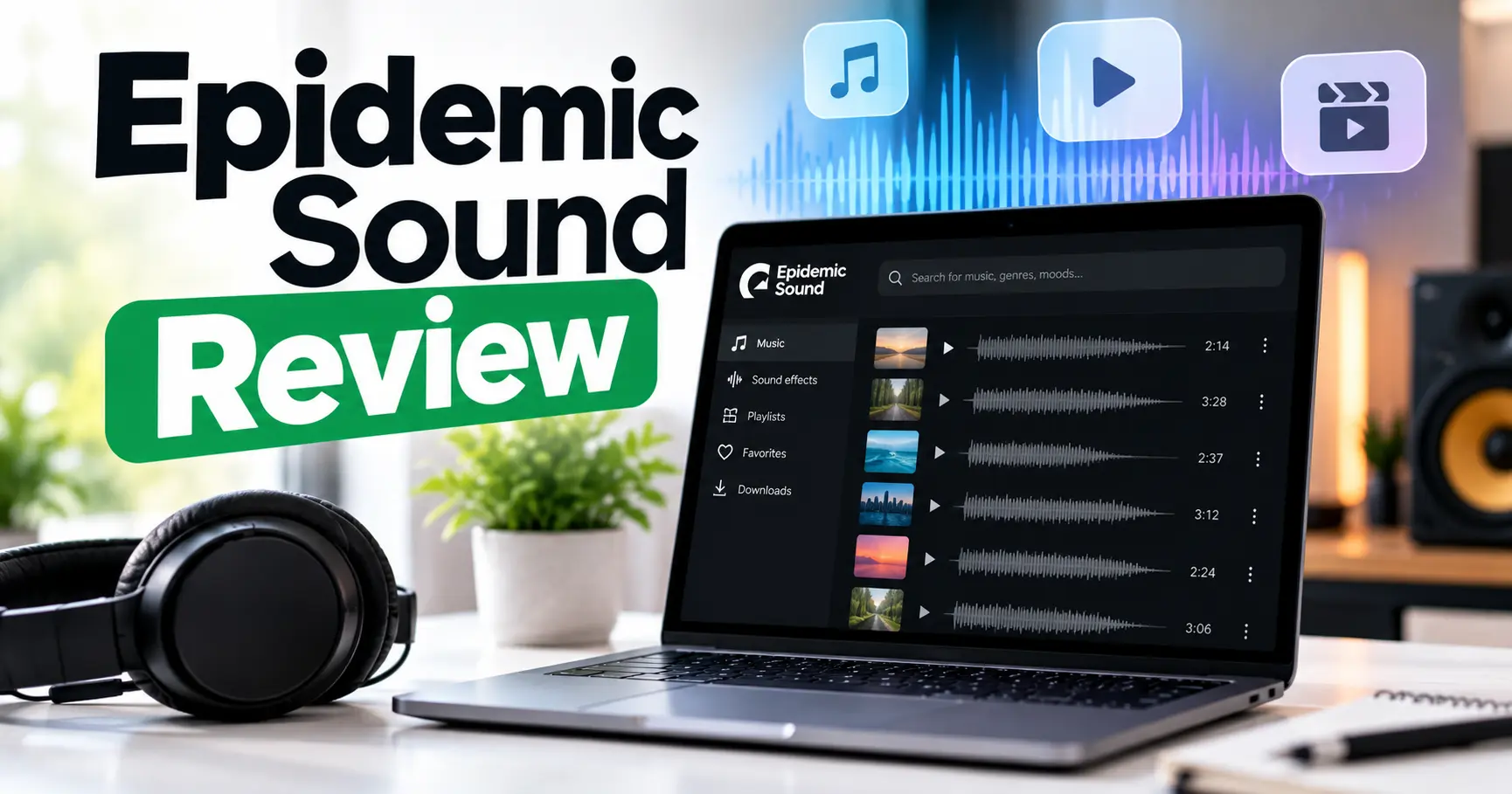
Epidemic Sound is a royalty-free music subscription service with 55,000-plus tracks and 250,000-plus sound effects. Plans start at $9.99 per month billed annually. Both plans include a 30-day free trial. Any content you publish during an active subscription stays licensed permanently. The platform works best for content creators who upload videos, podcasts, or social clips on a regular schedule. Creators who upload rarely may find a pay-per-track service saves more money overall.
One copyright claim can wipe out the ad revenue from a video you spent weeks making. That is a real risk when creators add mainstream music to a YouTube upload without proper licensing.
This fear pushes millions of creators toward royalty-free music subscriptions. Epidemic Sound is the most searched name in that category right now. But is it worth $9.99 a month in 2026, or are there better options?
This review covers Epidemic Sound pricing, the music library, how the licensing really works, the new AI tools, who the platform fits, and the top alternatives worth comparing. By the end, you will know if an Epidemic Sound subscription makes sense for your content workflow.
What Is Epidemic Sound?
Epidemic Sound is a stock music platform based in Stockholm, Sweden. David Stenmarck and Oscar Höglund co-founded the company in 2009. The team built a large catalog of professionally produced tracks and sound effects for video creators, not for radio or retail.
What makes Epidemic Sound different from a standard royalty-free music site is ownership. Epidemic Sound owns 100% of the rights to every track in its catalog. That means when you subscribe, you get one direct license that covers YouTube, TikTok, Instagram, Twitch, Facebook, podcasts, and websites, all at once, worldwide.
The company raised $450 million at a $1.4 billion valuation in 2021, according to TechCrunch. In 2026, the Financial Times named Epidemic Sound one of Europe’s fastest-growing companies. The platform now reaches 2.5 billion daily video plays across the globe.
The catalog holds more than 55,000 music tracks and 250,000-plus sound effects as of 2026. Tracks are made by independent artists, composers, and producers who work directly with Epidemic Sound, not random uploads.
How Much Does Epidemic Sound Cost in 2026?
Epidemic Sound now splits its plans into two clear groups: one for individuals and one for businesses. The pricing below covers the Business plans, verified directly from the Epidemic Sound subscriptions page in October 2026. These plans are built for brands, freelancers, agencies, and growing content teams.
All prices shown are on the yearly billing option. Epidemic Sound says yearly billing saves up to 60% compared to paying month by month.
| Plan | Monthly Price (Billed Yearly) | Annual Total | Best For |
|---|---|---|---|
| Business | $20/month | $240/year | Brands, freelancers, and agencies with revenue under $10m |
| Business Plus | From $100/month | From $1,200/year | Growing teams with revenue up to $30m |
| Enterprise | Custom | Custom | Large brands with complex workflows and revenue over $20m |
What the Business plan includes:
- Unlimited downloads: music and sound effects
- Use anywhere: social media, websites, and ads
- Influencer marketing coverage
- Licensing for client work
- Protect up to 3 channels per platform
- MCP and plugin access
- Up to 2 team members
- Priority support
- 30-day free trial
250,000 monthly AI credits on Business, which cover:
- Up to 250 track adaptations
- Up to 5 hours of voiceovers
- Soundtracking up to 100 videos in Studio
- Top-up option if you run out
What Business Plus adds on top of Business:
- Use for streaming and live events
- Protect up to 10 channels per platform
- Higher content protection levels
- Up to 10 team members
- Priority support and onboarding
- Same 250,000 monthly AI credits as Business
What Enterprise includes (custom-built plan):
- Publish anywhere across all channels and clients
- Protect content at scale across channels and URLs
- Team access with SSO login
- Full workflow and tool connections
- Expert music curation and direct support
- Dedicated Customer Success Manager
- Same 250,000 monthly AI credits
Epidemic Sound also has a separate Individuals tab on its pricing page for solo content creators. Individual plan pricing is shown separately and covers personal YouTube, social, and podcast use. If you create content only for your own channels, check the Individuals tab to see the pricing tier that fits your output level.
What Does the Epidemic Sound Free Trial Include?
The Business plan includes a 30-day free trial. You need payment details to activate the trial and download tracks, but Epidemic Sound will not charge you if you cancel before day 30.
During the free trial you can:
- Download as many tracks and sound effects as you want
- Publish content on your connected channels
- Use all AI tools included in your chosen plan
Any content you publish during the 30-day trial stays permanently licensed, even after you cancel. That content will not lose its clearance if you decide not to continue.
The free trial applies to the Business plan. Business Plus and Enterprise plans use the “Learn more” path and do not show a self-serve free trial button on the pricing page.
What Does Epidemic Sound’s Music Library Actually Include?
The catalog holds 55,000-plus music tracks and 250,000-plus sound effects across more than 170 genres. The sound library is one of the largest of any royalty-free music subscription service available right now.
Top genres by creator usage:
- Lo-Fi Hip Hop and Chillhop (roughly 28% of total catalog downloads, according to Soundstripe Genre Trends data)
- Pop and indie pop
- Cinematic and orchestral
- Electronic and synth-wave
- Hip-hop and R&B
- Classical and acoustic
- Rock and alternative
All tracks are produced by professional musicians and composers who sign directly with Epidemic Sound. These are not public domain recordings or amateur uploads. Consistent production quality is one of the features creators mention most in reviews.
The sound effects library is equally broad. It covers crowd noise, weather, Foley elements like footsteps and door slams, UI sounds, nature recordings, and much more. It is well suited for vloggers, podcast producers, gaming creators, and short-form social media content.
How Do You Find Music on Epidemic Sound?
You can search by keyword, genre, mood, or BPM. Three tools inside the platform make the search much faster:
- AI Assistant: Type a prompt like “upbeat background for a travel vlog” and the tool surfaces matching tracks inside your browser. This is one of the soundtracking tools for creators that puts Epidemic Sound ahead of older platforms.
- Find Similar: Pick a riff, hook, or beat you like inside any track, mark it, and Epidemic Sound finds more tracks that match that specific sound.
- Search by Video: Upload frames from your video and get soundtrack suggestions based on the visual content.
Tracks also come with downloadable stems. Stems are the separate audio layers of a track, for example just the drums, just the bass, or just the melody. You can mix stems to build a custom version without extra cost. This feature is available to all Creator and Pro subscribers.
How Does Epidemic Sound Licensing Work?
Epidemic Sound gives each subscriber a direct license covering the full catalog. Because Epidemic Sound owns all rights to every track, there are no third-party royalties involved. You do not report usage. You do not pay per stream. One worry-free licensing subscription covers everything.
Here is what the license covers:
- YouTube music licensing and Content ID copyright claim protection
- TikTok and Instagram safe music usage for monetized content
- Twitch livestream background music
- Facebook video content
- Podcast royalty-free music for intros, transitions, and backgrounds
- Personal and business websites
- Digital advertising campaigns (Pro plan only)
To activate YouTube protection, you connect your channel to your Epidemic Sound account. Once connected, the platform safelists your channel. YouTube’s Content ID system will not flag videos you publish on that connected channel while your subscription is active.
This automatic copyright strike prevention is why Epidemic Sound remains the top pick among YouTubers who post regularly.
What Happens to My Videos If I Cancel Epidemic Sound?
This is the part of the platform most creators misread, so read through this carefully.
| Scenario | After Cancellation |
| Videos published DURING an active subscription | Stay licensed permanently |
| Videos published AFTER cancellation | Not covered |
| Tracks downloaded before canceling, used in brand-new videos after canceling | Not covered |
If you cancel, every video you already published while subscribed stays fully licensed. Those videos remain monetized and live without any problem.
But you cannot use Epidemic Sound tracks in any new content after your subscription ends. Downloading a track before canceling does not give you the right to use it in new videos after your subscription expires. This is a subscription-dependent license, not a one-time purchase.
Plan your content calendar with that in mind before you cancel. Epidemic Sound offers a subscription pause option during the cancellation process, which is worth checking before you fully cancel.
What Are the Pros and Cons of Epidemic Sound?
The G2 platform rates Epidemic Sound at 4.3 out of 5 stars based on verified user reviews. Here is what those reviews and the platform itself show.
| Pros | Cons |
| 55,000-plus tracks across 170-plus genres | No free permanent plan |
| 250,000-plus professional sound effects | License ends for new content if you cancel |
| AI tools: Studio, Adapt, Assistant, Labs | Annual billing required for lowest price |
| Adobe Creative Cloud plugin | Pro plan required for client sublicensing |
| DaVinci Resolve Studio plugin | No licensing for cinema, broadcast TV, or live events on standard plans |
| Mobile app for iOS and Android | Regional pricing not adjusted for lower-income markets |
| 30-day free trial with permanent clearance on trial content | Sound effects quality varies across some categories |
| Content ID protection through channel safelisting | Monthly cost is ongoing even in low-output months |
The strongest point is the direct ownership licensing model. Many other platforms call their music royalty-free but still have situations where creators must report usage or pay additional fees. Epidemic Sound’s model removes that complexity entirely.
The biggest limitation is the subscription dependency. If your upload schedule slows down or stops for a few months, you still pay. That math only works in your favor when you publish often enough to spread the monthly cost across multiple videos.
How Does Epidemic Sound Compare to Alternatives?
Below is a comparison of Epidemic Sound against the five platforms creators most often consider as alternatives.
| Platform | Annual Price | Music Tracks | Sound Effects | Free Option | AI Tools | Best For |
| Epidemic Sound | $119.88/yr | 55,000+ | 250,000+ | 30-day trial | Yes | Social media and podcast creators |
| Artlist | ~$119.88/yr | 28,000+ | 72,000+ | 14-day trial | Limited | Cinematic and film-style content |
| Soundstripe | ~$135/yr | 100,000+ | Large | 7-day trial | Limited | High-volume publishers |
| Musicbed | $199+/yr | 40,000+ | Moderate | Listen only | No | Commercial filmmakers and agencies |
| Uppbeat | Free / $7.99/mo | 3,000+ | Basic | Yes (free tier) | No | Beginners and tight-budget creators |
| YouTube Audio Library | Free | Several thousand | Basic | Fully free | No | Zero-cost creators |
Is Artlist Better Than Epidemic Sound?
Artlist and Epidemic Sound are the two most compared royalty-free music platforms. They cost about the same per year for an individual creator plan.
Epidemic Sound has a far larger sound effects library: 250,000-plus compared to Artlist’s 72,000-plus. Epidemic Sound also has a more complete set of AI tools for finding and adapting tracks. Artlist focuses more on cinematic and high-quality music. Many filmmakers and brand video producers prefer Artlist’s track style.
If you make vlogs, social media clips, podcast episodes, or YouTube tutorials, Epidemic Sound gives you more variety and better tools. If you produce short films or brand commercials where music tone is the centerpiece, Artlist fits that style better. Both offer solid YouTube and social media licensing coverage.
Is Soundstripe a Good Alternative to Epidemic Sound?
Soundstripe carries a music catalog roughly twice the size of Epidemic Sound’s at 100,000-plus tracks. That catalog depth is a real advantage for creators who want maximum variety across genres.
Soundstripe also offers stronger legal indemnification language in its subscription terms, which matters for creators who want extra legal protection beyond standard royalty-free coverage.
Where Soundstripe falls behind is AI tools. Epidemic Sound’s Studio, Adapt, and AI Assistant features have no real match in Soundstripe yet. Pricing comes in at around $135 per year for a basic plan, slightly above Epidemic Sound’s Creator plan.
Soundstripe is a good pick for creators who prioritize catalog size and do not need AI-assisted music placement.
What About Musicbed, Uppbeat, and YouTube Audio Library?
Musicbed starts at $199 per year and scales up for agency and commercial use. The music quality is excellent. The price puts it well above what most solo creators or small teams can justify unless they work on commercial brand projects consistently.
Uppbeat is a smart starting point for creators who are not ready to commit to a paid subscription. The free tier gives access to a smaller selection of royalty-free tracks with some usage caps per month. The paid plan is $7.99 per month. If you want to test whether royalty-free music fits your workflow before spending on Epidemic Sound, Uppbeat is a low-risk way to start.
YouTube Audio Library is completely free and built directly into the YouTube Studio dashboard. The track quality and selection are limited compared to any paid subscription. For background music for vlogs where cost is the main concern, it works. For creators who want music that matches a specific mood, genre, or energy level with consistency, the free library is too thin to rely on.
What New AI Tools Did Epidemic Sound Add in 2025 and 2026?
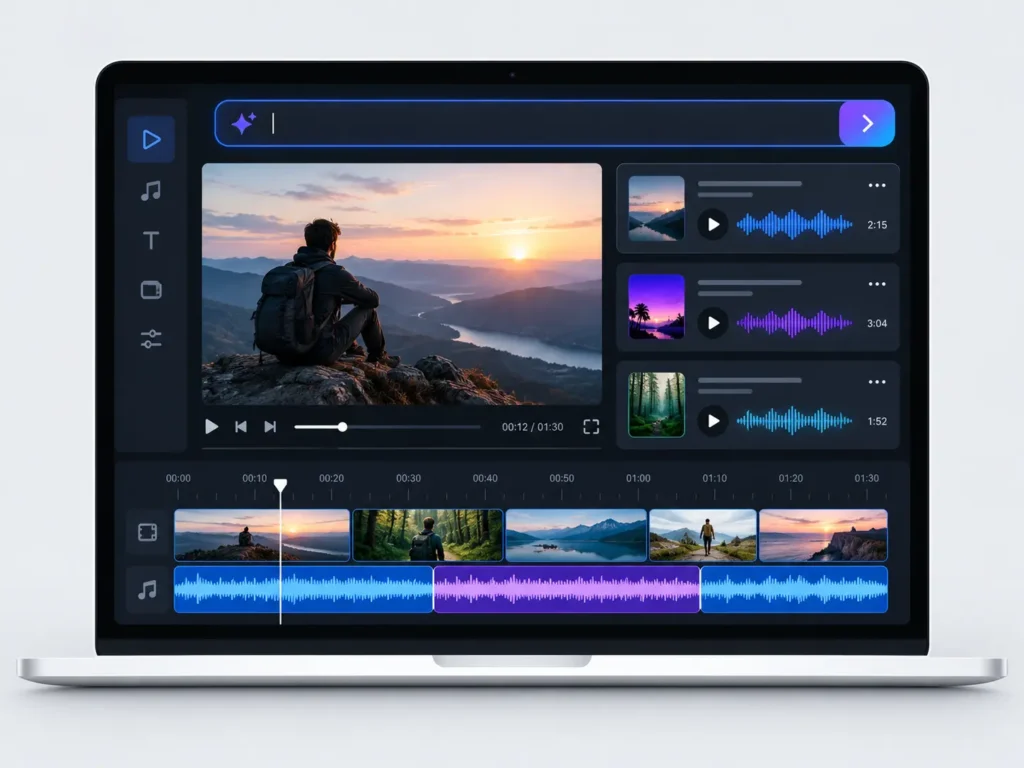
Epidemic Sound has added several AI-powered soundtracking tools for creators over the past two years. These updates are a big part of why the Financial Times recognized the company as one of Europe’s fastest-growing businesses in 2026.
Every Creator and Pro subscription now includes:
Studio – Auto-syncs music and sound effects to your video. Upload your clip and the tool matches audio to cuts, transitions, and mood shifts automatically. You do not need to time the music manually.
AI Assistant – Works like a chat prompt inside Epidemic Sound. Type what you need, for example “something calm for a cooking tutorial” or “high energy for a gym video,” and the assistant pulls matching tracks from the 55,000-track catalog instantly.
Adapt – Reshapes any track to fit your video’s exact length without cutting the music awkwardly. If your video is 2 minutes and 15 seconds, Adapt fits the track to that runtime smoothly.
Labs – A set of beta tools that Epidemic Sound tests with subscribers before full release. The feature list inside Labs changes as the company pushes new experiments.
Beyond these AI tools, Epidemic Sound now offers two major editing software plugins:
- Adobe Creative Cloud plugin: Browse and download tracks inside Adobe Premiere Pro and After Effects without switching to a browser tab. The plugin pulls your licensed library directly into the editing panel.
- DaVinci Resolve Studio plugin: Same concept for DaVinci users. Search the full Epidemic Sound catalog inside your DaVinci Resolve editing session.
Desktop apps for Mac and Windows are also available. iOS and Android mobile apps let you browse, save, and download tracks when you are away from your main editing setup.
Music only sounds as good as the speaker delivering it. Before you finalize any video, test your phone, laptop, or monitor speaker at Fix My Speaker’s free speaker sound test tool. A dust-clogged or water-damaged speaker can make a well-produced track sound flat, and you may not catch that before your audience does.
Who Is Epidemic Sound Best For?
Epidemic Sound is built for creators who publish content on a regular schedule. The subscription model makes the most sense when you produce and upload consistently enough to spread the monthly cost across multiple pieces of content.
Epidemic Sound is a strong fit for:
- YouTubers who publish at least two to four videos per month and need background music for vlogs and tutorials
- TikTok and Instagram creators who need TikTok and Instagram safe music to avoid removal or demonetization
- Twitch streamers who want cleared background music during live broadcasts
- Podcasters who need podcast royalty-free music for intros, outros, and transition stingers
- Freelance video editors producing content for clients (Pro plan covers sublicensing)
- Social media managers handling content for brands or marketing agencies
The numbers support this demand. A survey of YouTube and TikTok creators found that 76% of monetized creators on both platforms use subscription-based royalty-free music services. Separately, 82% of independent podcast shows license royalty-free intro and transition tracks. These figures come from Tubular Labs and Edison Podcast Metrics data and show how common this type of subscription has become across content formats.
The global creator economy is projected at $323.48 billion in 2026, according to Research and Markets. Music is a non-negotiable part of that ecosystem for video and audio producers who want professional-sounding output.
Epidemic Sound is not a strong fit for:
- Creators who upload one or two videos per year (a per-track license from another site costs less)
- Creators who need music cleared for cinema releases, broadcast television, or large live events (Enterprise plan needed, priced separately by request)
- Creators with a total music budget under $8 per month (Uppbeat free tier is a better starting point)
- Creators who want to pay one time and own the license for a single track forever
Is Epidemic Sound Worth It in 2026?
For most creators who publish regularly, yes, Epidemic Sound is worth the cost.
At $9.99 per month billed annually, the Creator plan gives you access to 55,000-plus tracks and 250,000-plus sound effects. If you publish four videos per month, your cost per video comes out to $2.50. If you publish eight videos per month, it drops to $1.25 per video. For any creator earning ad revenue or brand deals, that math recovers easily within a few videos.
The global royalty-free music market is now worth $2.10 billion, according to Music Business Worldwide and Grand View Research data. Epidemic Sound holds a leading share of that market by subscriber count for good reason. Its direct ownership model, combined with permanent clearance on content published during an active subscription, removes the legal risk that trips up creators who use unlicensed music.
The 30-day free trial is the right place to start if you are still deciding. You get the full platform, unlimited downloads during the trial, and any content you publish during those 30 days stays permanently licensed, at zero cost. Use that month to test the catalog against your content style before you commit to a paid plan.
The only real objection is the ongoing subscription cost. If your upload schedule pauses for a month or two, you are still paying. Epidemic Sound offers a subscription pause option during the cancellation process. Check that before fully canceling your account.
The G2 user rating of 4.3 out of 5 stars reflects consistent satisfaction from real creators. The platform delivers on its core promise: a royalty-free music subscription that holds up on YouTube, TikTok, Instagram, Twitch, and every other platform where creators publish.
Before your next upload, take 30 seconds to check your listening setup. Run the stereo sound tester at Fix My Speaker to catch any speaker imbalance or blockage that could affect how you monitor your audio mix. Good sound in a track only matters if your speaker is actually reproducing it clearly.
Check Your Speakers Before You Publish
You put real work into picking the right track. Make sure your audience actually hears it the way you intended.
Fix My Speaker offers a free, browser-based speaker test that runs in under 30 seconds. It checks your speaker output for muffled audio, stereo imbalance, and frequency gaps caused by water or dust inside the speaker grill. No download needed, no account required, and it works on phones, laptops, and earbuds.
Run a free speaker sound test at Fix My Speaker before your next upload, and catch audio problems before your viewers do.
Frequently Asked Questions
Does Epidemic Sound Music Stay Cleared After Cancellation?
Yes, with one limit. Any content you published during an active subscription stays permanently licensed after you cancel. Those videos can stay live and monetized without any issue. But you cannot use Epidemic Sound tracks in new content after your subscription ends. Downloading a track before canceling does not give you rights to use it in a new video published after your subscription expires. New content requires an active subscription.
Is There a Free Version of Epidemic Sound?
Epidemic Sound does not offer a free permanent plan. You can listen to any track on the site without paying, but downloading requires a subscription or a single-track license. The 30-day free trial is the only way to use the platform free of charge. Any content you publish during the trial stays permanently licensed, even if you cancel before the 30 days are up.
What Is the Difference Between the Creator and Pro Plans?
The Creator plan at $9.99 per month (billed annually) covers individual creators who publish on their own channels. The Pro plan at $39.99 per month covers freelancers who produce content for clients. The Pro plan adds sublicensing rights so client work published on a client’s channel is covered, three monetized channels per platform instead of one, and three AI voice replicas. Both plans include unlimited access to the full music and sound effects catalog.
Is Epidemic Sound Safe From YouTube Copyright Strikes?
Yes. Because Epidemic Sound owns all rights to every track in its catalog, YouTube’s Content ID system cannot file claims against connected channels. You connect your YouTube channel to your Epidemic Sound account inside your account settings. Once connected, videos you publish on that channel while subscribed are safelisted automatically. That protection holds permanently on any video published during an active subscription, even after you cancel.
Is Epidemic Sound Better Than Artlist in 2026?
Epidemic Sound carries a larger sound effects library (250,000-plus versus Artlist’s 72,000-plus) and a more complete AI tool suite including Studio, Adapt, and the AI Assistant. Artlist is preferred by many filmmakers for its cinematic music quality and track selection style. Both platforms cost about the same per year for an individual creator plan. Epidemic Sound fits high-volume social media and podcast creators better. Artlist fits film and brand video producers who need a specific premium aesthetic.