To get a free MP3 ringtone, visit a trusted site like Zedge, Phonezoo, or Audiko. No account is required. Browse by genre or device type, preview the tone, and save the MP3 file. On Android, place the file in your Ringtones folder and go to Settings > Sound > Phone Ringtone to select it. On iPhone, you need to convert the MP3 to M4R format using GarageBand or Finder before it works as a ringtone.
More than 60% of smartphone users have changed their ringtone at least once. But getting a free MP3 ringtone onto your phone can feel harder than it should be. Sites look untrustworthy. Files save to the wrong folder. iPhones refuse the format entirely.
This guide shows you exactly where to download free MP3 ringtones in 2026, how to set them on Android or iPhone in a few minutes, and what to do if something goes wrong along the way.
What Is an MP3 Ringtone and Why Does the Format Matter?
An MP3 is the most widely used audio file format for phone ringtones. It works on Android phones, Windows devices, and most non-Apple hardware. You download the MP3 file, drop it in your phone’s Ringtones folder, and set it right away.
iPhone is a different story. Apple uses a special container format called M4R for ringtones. A plain MP3 file will not work on iPhone unless you first convert it. M4R is built on AAC audio, just with a renamed file extension. The good news is the conversion is free and takes only a few minutes.
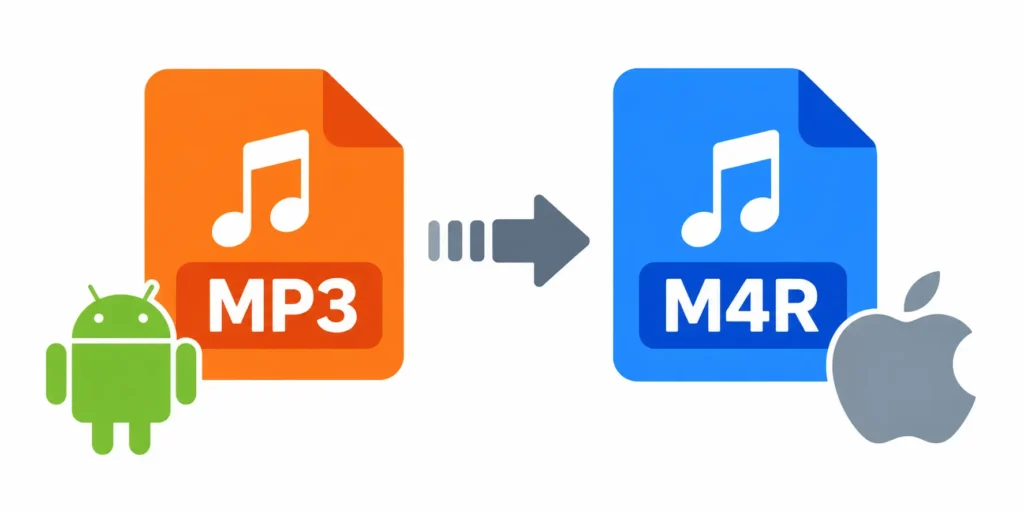
Here is a quick format comparison:
| Format | Works On | How to Get It |
| MP3 | Android, Windows, most phones | Direct download from any ringtone site |
| M4R | iPhone (iOS) only | Convert from MP3 using GarageBand or Finder |
| OGG | Android (some apps) | Available on select download platforms |
Photozoo supports six audio formats: MP3, M4R, WAV, FLAC, AAC, and OGG. If you are not sure which one to choose, start with MP3 for Android and M4R for iPhone.
Where Can You Download Free MP3 Ringtones? (Best Sites in 2026)
Several trusted sites offer free ringtone download without registration. You do not need to create an account or give your phone number. Here are the best options right now.
| Site | Library Size | Formats | Sign-Up Required | Best For |
| Zedge.net | 50M+ tones | MP3 | Optional | General use, largest library |
| Phonezoo.com | Large | MP3, M4R, 4 more | No | AI tones, multi-format |
| Audiko.net | Medium | MP3, M4R | No | Music clips, custom cutter |
| Mobcup.fm | Large | MP3 | No | Hindi, Bollywood, South Asian |
| Downringtone.com | Medium | MP3 | No | Tamil, Telugu, trending India |
| Prokerala.com | Medium | MP3 | No | Simple, no-fuss downloads |
Zedge is the biggest free ringtone library you will find. It has over 50 million tones sorted by genre, mood, and popularity. The mobile app works on both Android and iOS. You can also use the website without installing anything.
Phonezoo is the best pick if you want a custom ringtone. It launched an AI music tool in 2026 that generates original tones on the spot. It also supports the widest range of audio file formats on this list.
Audiko lets you trim any song into a custom ringtone right on the site. Upload an MP3, pick your 30-second clip, and download it in your preferred format. The process is simple even if you have never done it before.
Mobcup and Downringtone are the go-to picks for South Asian content. Both carry large Hindi, Bollywood, Tamil, and Telugu libraries that update regularly. Both allow free download without registration.
Prokerala is a solid backup. No account needed, clean interface, and a reliable collection of general ringtones.
Is It Legal to Download Free Ringtones?
This is a real question and most guides skip it. Here is the short version:
- Licensed ringtone platforms (Zedge, Phonezoo, Audiko): Legal. These sites license their audio content for personal use.
- Your own purchased music: Widely considered fair personal use in most countries. If you bought an MP3 on Google Play or Amazon, trimming it into a ringtone for your own phone is generally accepted.
- Copyrighted songs from other sources: A grey area at best, infringement at worst. Sharing ringtones built from copyrighted songs is illegal in most places.
Stick to licensed platforms and you will not run into trouble. This is general guidance, not legal advice.
How Do You Download an MP3 Ringtone on Android?
On Android, open a ringtone site like Zedge or Phonezoo, find a tone you like, and tap the MP3 download button. The file saves to your Downloads folder. Move it to the internal Ringtones folder using your file manager. Then go to Settings > Sound and Vibration > Phone Ringtone and select the file.

Here are the full steps. This works on Samsung Galaxy, Xiaomi, Realme, Oppo, and most Android phones running Android 13 or later.
- Open Zedge, Phonezoo, or any site from the list above in your phone browser.
- Search for a ringtone by name, genre, or mood.
- Preview the tone before saving.
- Tap the download button and save the MP3 file.
- Open your file manager app (Google Files works well).
- Find the downloaded MP3 in your Downloads folder.
- Move or copy the file to Internal Storage > Ringtones.
- Go to Settings > Sound and Vibration > Phone Ringtone.
- Find your file in the list and tap it to set it.
On Samsung Galaxy phones, the path may read Settings > Sounds and Vibration > Ringtone. The step is the same, just a slightly different label.
Before you lock in your new ringtone, run a quick speaker sound test to confirm your phone is playing audio cleanly.
How Do You Set a Different Ringtone for One Contact on Android?
Open your Contacts app. Tap the contact name, then tap Edit. Look for the Ringtone option. On some Samsung devices it sits under More Fields. Tap it, pick any ringtone from your library, and save. That contact will now ring with their own custom alert sound.
How Do You Download and Set an MP3 Ringtone on iPhone?
iPhones do not accept plain MP3 files as ringtones. You must first convert the MP3 to M4R format. There are two free ways to do this.
Method 1: Using GarageBand (No Computer Needed)
GarageBand is a free Apple app from the App Store.
- Download GarageBand if you do not have it already.
- Open GarageBand and tap the plus button to start a new project.
- Choose Audio Recorder.
- Tap the track settings and import your MP3 file.
- Trim the audio to your best 30 to 40 seconds.
- Tap the share icon and select My Songs to save.
- Long-press the saved project, tap Share, then tap Ringtone.
- Name the ringtone and tap Export.
- Your new tone will appear in Settings > Sounds and Haptics > Ringtone.
Method 2: Using Finder or iTunes on a Mac
- Open Finder on macOS Catalina or later (or iTunes on older Macs).
- Connect your iPhone with a USB cable.
- Drag the MP3 into your music library.
- Right-click the song and select Song Info, then go to Options.
- Set a start time and stop time for the 30 to 40 second clip you want.
- Right-click again and select Create AAC Version.
- Right-click the new shorter file and select Show in Finder.
- Rename the file extension from .m4a to .m4r.
- Drag the .m4r file onto your iPhone in Finder.
- Go to Settings > Sounds and Haptics > Ringtone and select your file.
iOS 26 added some new native ringtone customization options, so some of these steps may be slightly different depending on your iOS version.
How Do You Create a Custom Ringtone from Any Song?
Want to use a song hook as your ringtone? Here is how to make a custom MP3 ringtone from any audio file.
- Go to an online ringtone maker such as Audiko or the Phonezoo Maker tool.
- Upload your MP3 file.
- Use the trim slider to pick your best 20 to 30 seconds. The chorus or main hook usually works well.
- Download the trimmed file as MP3 for Android or M4R for iPhone.
Keep the file under 2MB and under 40 seconds for best results across all devices.
If you prefer a mobile app, InShot works well for trimming audio files quickly. On iPhone, GarageBand lets you trim and export without needing a website at all.
The ringtone maker apps market is growing. Analysts project it will reach 1.5 billion dollars by 2033, with a 6.8% yearly growth rate. New free tools are launching regularly, which means more good options each year.
Why Is Your Downloaded Ringtone Not Showing Up? (Troubleshooting)
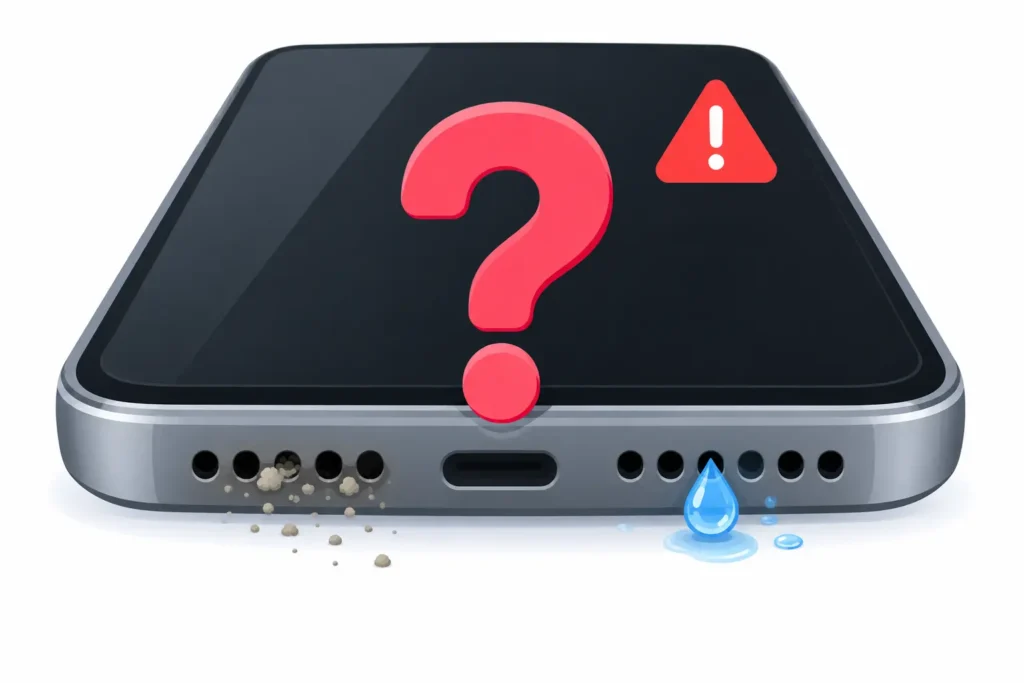
If your downloaded ringtone is not appearing in your phone settings, the fix is usually simple. Here are the four most common problems and how to solve them.
Ringtone is not in the settings list. The file is in the wrong folder. Move it from Downloads to Internal Storage > Ringtones using your file manager. Restart your phone and check again.
Ringtone sounds muffled or quiet at full volume. First raise your ringtone volume in Settings. If the sound is still weak, your speaker may be blocked by dust or water. A speaker clean can fix this fast. You can run a free speaker cleaning tool at fixmyspeaker.tech right in your browser, no app required.
iPhone says the file is not supported. The file is likely still an MP3. iPhones need M4R format. Use the GarageBand method above to convert it.
Ringtone cuts off too early. The file may be longer than 40 seconds. Trim it down using an online ringtone cutter and re-download the shorter version.
How Do You Make Sure Your Ringtone Sounds Clear on Your Phone?
Setting a new ringtone is often when people first notice their speaker has a problem. If your phone plays the ringtone at full volume but it still sounds thin, crackly, or flat, the issue is most likely not the audio file.
Dust and moisture are the two most common causes of speaker blockage. Both build up gradually and are easy to miss until a clear sound test reveals them. A blocked speaker will make even a high-quality ringtone sound bad.
You can test and clean your speaker for free at fixmyspeaker.tech. The tool plays a specific sound frequency through your speaker to push out dust and water. It runs directly in your browser with no app to download. If your ringtone sounds noticeably better after using the tool, your speaker was the problem all along.
One Last Step Before You Close This Tab
Your ringtone is set. Now take 30 seconds to check that your speaker is doing it justice. If the sound is quiet, flat, or muffled even at full volume, your speaker may have dust or water blocking it. That is a speaker problem, not a ringtone problem.
Visit fixmyspeaker.tech to run a free speaker sound test and clean it right in your browser. No download, no app, no cost.
Frequently Asked Questions
What is the best website to download free MP3 ringtones in 2026?
Zedge is the largest general-purpose free ringtone library available right now. Phonezoo is the best pick for AI-generated custom tones and multi-format downloads. For South Asian music including Hindi, Tamil, and Telugu ringtones, Mobcup and Downringtone have the most current and complete libraries. All four allow free download without account creation.
Can I download ringtones without making an account?
Yes. Zedge, Phonezoo, Prokerala, and Mobcup all allow free ringtone download without registration. Some sites show ads or prompt an optional sign-up, but you never need to create an account to complete a download.
Why won’t my MP3 file work as a ringtone on my iPhone?
iPhones require the M4R audio format for ringtones. A plain MP3 will not work directly. Convert the MP3 to M4R for free using GarageBand on your phone (import, trim, and tap Share > Ringtone) or use a free online MP3-to-M4R converter.
How long can a ringtone MP3 file be?
On most Android phones, only the first 30 seconds of a ringtone file plays during an incoming call. For iPhone, M4R files should be 40 seconds or shorter for reliable syncing. Trim your file to 20 to 30 seconds for the best result on all devices.
Is it safe to download ringtones from free websites?
Stick to well-known platforms like Zedge, Phonezoo, and Audiko. Skip any site that asks you to install an app, fill out a survey, or enter your phone number before letting you download. Never install an APK file from a ringtone site.
Can I use a Spotify or YouTube song as my ringtone?
Not directly. Spotify and YouTube use DRM protection that prevents audio from being saved or extracted. To use a specific song as a mobile ringtone, you need to own the MP3 file (purchased from Google Play or Amazon), then trim it using a ringtone cutter.
How do I set a different ringtone for one contact on Android?
Open your Contacts app, tap the contact name, and tap Edit. Find the Ringtone option (on Samsung phones, tap More Fields first). Tap Ringtone, select your downloaded MP3 from the list, and save. That contact will now ring with their own personal alert sound.