
Pixabay is a free, community-driven media platform where anyone can download high-quality photos, illustrations, vector graphics, videos, animated GIFs, music, and sound effects for personal or commercial use. No attribution is required. All content is released under the Pixabay Content License, a proprietary license introduced in January 2019 that replaced the original CC0 dedication. The platform is owned by Canva and receives over 50 million visits every month.
You need a clean stock image for a blog post. Or maybe a short music loop for a video project. You want something free with no strings attached. Pixabay.com has been one of the best answers to that problem since 2010.
Most people think of Pixabay as a photo site. But there is a lot more going on. This guide walks through everything Pixabay offers, from photos and videos to a free sound effects library that most users never find. You will also get a plain-English breakdown of the Pixabay Content License so you know exactly what you can and cannot do with anything you download.
What Is Pixabay.com?
Pixabay is a free stock media platform where photographers, videographers, musicians, and illustrators share their work under the Pixabay Content License. Anyone can download and use that content for personal or commercial projects without paying a fee or crediting the creator.
The site launched in 2010, founded by Hans Braxmeier and Simon Steinberger in Germany. In 2019, Canva acquired both Pixabay and Pexels. Pixabay still runs as its own brand under Pixabay GmbH, a Canva subsidiary.
A few numbers worth knowing:
- 6.3 million+ free media files hosted on the platform
- 50 to 56 million monthly visits, per Semrush data from late 2025
- Top 435 website globally, 15 years in operation
What makes Pixabay stand out is the combination it offers. The content is free. No attribution is required. Commercial use is allowed. Most free resource sites come with at least one catch. Pixabay keeps things clean.
What Can You Download for Free on Pixabay?
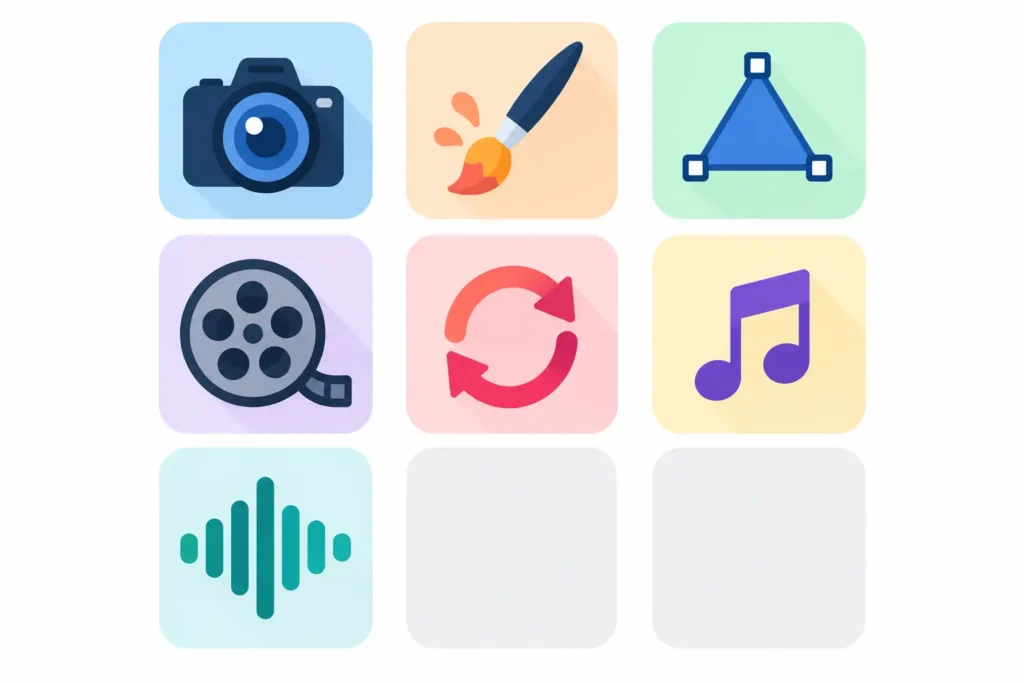
Pixabay offers seven types of free media. All of them fall under the same Pixabay Content License, so the rules are consistent no matter what you download.
Photos, Videos and Illustrations
- Photos — High-resolution royalty-free photographs across thousands of categories
- Illustrations — Digital art, hand-drawn artwork, and vector-style illustrations
- Vector graphics — Scalable SVG files you can resize without any quality loss
- Videos — HD and 4K stock footage for commercial and personal projects
- Animated GIFs — Short animated clips for presentations, social media, and more
You can filter results by orientation, size, color, and photographer. The Editor’s Choice section highlights content curated by the Pixabay team. If you want high-quality results without sorting through weaker images, that section is the fastest place to start.
One feature worth knowing about in 2026: Pixabay now lets you filter out AI-generated images from your search results. As AI content fills free stock libraries across the web, this filter helps you find authentic, human-created photos when that matters for your project.
Pixabay’s Hidden Audio Library: Free Music and Sound Effects
This is the part most users miss. Pixabay is not just a photo site. It has a full library of royalty-free sound effects and background music, and almost nobody talks about it.
The sound effects library lives at pixabay.com/sound-effects/. The music library is at pixabay.com/music/. Both are free for commercial use with no attribution required, covered by the same Pixabay Content License as everything else on the platform.
Whether you are working on a YouTube video, podcast, app, or game, you can find background tracks, ambient sounds, notification tones, nature sounds, UI audio, and more — no credit line needed, no subscription fee.
Wyzowl’s January 2026 list of the best free sound effects sites calls out Pixabay’s audio library as an underknown but genuinely solid resource. The Cinevva game audio guide from July 2026 names Pixabay Music as one of the top zero-attribution commercial music sources for games and video projects. That recognition lines up with what the library actually delivers.
Before previewing audio files from Pixabay, make sure your speakers are giving you accurate sound. A speaker with trapped dust or moisture will affect what you hear. You can use the speaker sound test on fixmyspeaker.tech to check your audio quality before you start.
Is Pixabay Free? How Does the Pixabay License Work?
Yes, Pixabay is fully free. All content is available at no cost for personal and commercial use. A free account is required to download files, but registration takes less than a minute and removes the per-download CAPTCHA.
What Changed in 2019: CC0 vs. Pixabay Content License
Pixabay originally released everything under CC0, also called Creative Commons Zero. CC0 is a public domain dedication where the creator gives up all rights. That placed Pixabay content inside the CC0 pool that tools like WordPress’s Openverse media integration draw from.
In January 2019, Pixabay switched to its own Pixabay Content License. The license still allows free commercial use without attribution, but the content is no longer part of the CC0 pool. If you use a tool that pulls Creative Commons Zero sources, Pixabay images will not appear there. You need to visit pixabay.com directly.
MetaSlider’s guide to using Pixabay explains the practical impact of this change well: the licensing spirit stayed the same, but the legal structure shifted in a way that matters for certain tools and workflows.
What you CAN do under the Pixabay Content License:
| Permission | Details |
| Download for free | Personal and commercial projects |
| Use without attribution | No credit required |
| Modify or adapt content | You can edit and create new works |
| Use commercially | Ads, products, websites, videos |
What You Are NOT Allowed to Do
| Restriction | Details |
| Use as a trademark or logo | Cannot represent a brand |
| Resell the file on its own | Cannot sell the raw file itself |
| Use in a misleading or deceptive way | Cannot deceive viewers |
| Use identifiable people in commercial ads | Model release required |
Pixabay does not guarantee model or property releases for photos of people or recognizable locations. If you use a photo of a real person in a commercial advertisement, checking whether a release exists is your responsibility.
Does Pixabay Have Free Sound Effects and Music?
Yes. Pixabay has thousands of royalty-free sound effects and background music tracks. Everything in the audio library falls under the Pixabay Content License, which means free commercial use with no credit required.
Most people associate Pixabay with stock photography. The audio section is real, actively maintained, and genuinely underused.
Where to find Pixabay audio:
- Sound effects: pixabay.com/sound-effects/
- Music: pixabay.com/music/
Common uses for Pixabay audio:
- Background music for YouTube videos
- Podcast intro and outro tracks
- App notification sounds and UI audio
- Sound effects for games
- Ambient audio for video projects
- Presentation soundscapes
The search works well. You can filter by keyword, category, and duration to find the right clip without scrolling through dozens of mismatches.
Compare Pixabay to FreeSound, another popular audio library. FreeSound has a huge catalog, but many clips require attribution. Pixabay requires no credit at all. For creators who need to move fast, that is a clear difference.
Once you find audio you want to work with, make sure your speakers are clean and performing well before you judge quality. Dust buildup inside speaker grills muffles sound and distorts high frequencies. The laptop speaker cleaner on fixmyspeaker.tech is a free browser-based tool that uses sound frequencies to clear speaker grills on laptops before you start previewing audio.
How Do You Search and Download from Pixabay?
Getting started is simple. Here is the step-by-step process:
- Go to pixabay.com. Type your search term into the search bar at the top of the page.
- Filter by media type. Use the dropdown to select photos, illustrations, vectors, videos, music, or sound effects.
- Use advanced search. Filter by orientation (landscape or portrait), image size, color, and photographer.
- Apply the AI filter. Toggle to exclude AI-generated content from results. This matters if you need photos that feel human-made.
- Browse Editor’s Choice. If you want the best-quality content quickly, start in the Editor’s Choice section before running a broad search.
- Create a free account. You need one to download. It removes the per-download CAPTCHA and keeps a record of files you have saved.
One practical tip: Pixabay image files are often very large. If you are uploading photos to a website, resize and compress them after downloading. Original files can slow down page load times significantly.
If you are previewing audio or video content on a laptop, clean speaker grills deliver more accurate playback.
Pixabay vs. Pexels vs. Unsplash: Which Is Better?
All three platforms offer free content with no attribution required. Each one has its own strengths.
| Feature | Pixabay | Pexels | Unsplash |
| Free to use | Yes | Yes | Yes |
| Attribution required | No | No | No |
| Photos | Yes | Yes | Yes |
| Videos | Yes | Yes | No |
| Sound effects | Yes | No | No |
| Music | Yes | No | No |
| Illustrations and vectors | Yes | No | No |
| AI image filter | Yes | Limited | No |
| Owned by | Canva | Canva | Getty Images |
| Account needed to download | Yes | No | No |
Which one fits your project?
- Choose Pixabay if you need a mix of media types, especially audio alongside visuals. Best for illustrations, vectors, and royalty-free sound effects.
- Choose Pexels if you want curated, professional photography and video without creating an account first.
- Choose Unsplash if you need high-resolution artistic photography with a lifestyle or editorial look.
Both Pixabay and Pexels are owned by Canva. Unsplash is owned by Getty Images. For audio specifically, Pixabay is the only one of the three that offers it. If free sound effects or royalty-free music without attribution is part of what you need, Pixabay is the clear pick.
After downloading stereo audio from Pixabay, you can check your speaker balance with the stereo sound tester on fixmyspeaker.tech to confirm both channels are coming through clearly.
Test Your Speakers Before You Create
Pixabay is a lot more than a photo library. From royalty-free photos and 4K stock footage to a free sound effects catalog that most users scroll past, it covers more than people expect. The Pixabay Content License keeps things simple: free, commercial, no attribution.
Before you preview or judge any audio files you download, make sure your speakers are giving you honest, accurate playback. Dust and moisture inside speaker grills can muffle sound and throw off your judgment when selecting audio. Use the free speaker sound test on fixmyspeaker.tech to verify your audio quality before you start creating.
Frequently Asked Questions
Is Pixabay completely free to use?
Yes. All content on Pixabay is free for personal and commercial projects. No subscription is required. A free account speeds up downloading by removing the per-download CAPTCHA. The Pixabay Content License permits use without payment or attribution of any kind.
Do I need to credit Pixabay or the photographer?
No attribution is required under the Pixabay Content License. Crediting the creator is appreciated by the community but is not legally needed for personal or commercial use. This rule applies equally to photos, videos, music, and sound effects.
Can I use Pixabay content on YouTube or social media?
Yes. The Pixabay Content License specifically allows use on social media platforms and YouTube. Music and sound effects are included. For assets featuring identifiable people or branded logos, check whether the proper model and property releases exist before using them commercially.
Does Pixabay have free sound effects?
Yes. Pixabay has a dedicated sound effects library at pixabay.com/sound-effects/ with thousands of clips available for free commercial use with no attribution required. Categories cover ambient sounds, nature, UI and notification tones, and more. Background music is at pixabay.com/music/.
Who owns Pixabay?
Pixabay is owned by Pixabay GmbH, which is a subsidiary of Canva. Canva acquired both Pixabay and Pexels in 2019. Pixabay continues to operate as its own brand with its own license and URL.
What changed with the Pixabay license in 2019?
In January 2019, Pixabay moved from Creative Commons Zero (CC0) to its own Pixabay Content License. Content remains free for commercial use without attribution. The key change is that Pixabay is no longer part of CC0 media tools like WordPress’s Openverse integration, so you need to visit pixabay.com directly.
What are the best free alternatives to Pixabay?
For photography, Pexels and Unsplash are strong free choices with similar no-attribution licenses. For design resources and illustrations, Freepik uses a freemium model. For premium licensed content, Adobe Stock and Shutterstock offer paid plans. Pixabay stays unique by offering free sound effects alongside all its visual media in one place.